


- Initiating any web data scraping process (product list pages, search result pages, forum lists, etc.).
- Starting e-commerce price monitoring or content monitoring tasks.
- Serving as the entry point for a workflow, followed by actions like clicking, inputting, or scrolling.
- Opens a specified URL in the current tab or a new tab.
- Supports dynamic URL generation using parameters (variables).
- Configurable exception handling (e.g., terminate the task if the page fails to open).
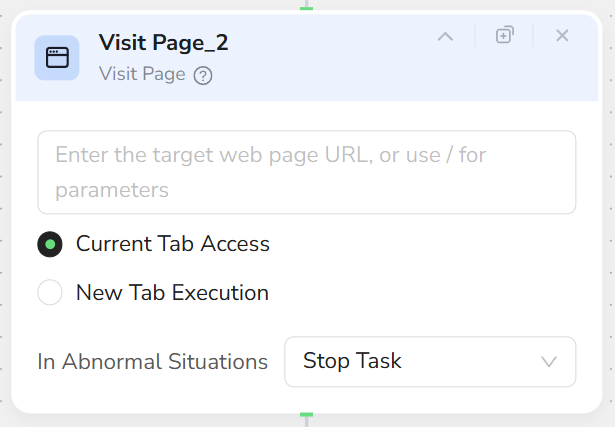
- Click + in the workflow and select the Visit Page node.
- In the URL input field:
- Directly enter or paste a complete URL (must start with
http://orhttps://), e.g.,https://www.browseract.com/. - Enter
/to reference variables output by preceding nodes (e.g.,{{target_url}}) for dynamic navigation.
- Directly enter or paste a complete URL (must start with
- Select the access mode:
- Current Tab Access: Open the page in the active tab.
- New Tab Execution: Open the page in a new tab to maintain environment isolation.
- Configure exception handling as needed:
- Set to Stop Task if access fails or loading fails.
- Each Visit Page node should only be responsible for “opening one page”; do not mix in actions like clicking or scrolling.
- It is generally recommended to place the Visit Page node after the Start node and before all interaction nodes.
- For batch tasks (multiple URL lists), it is recommended to combine this with parameters and Loop nodes.
- Before running officially, test the URL in a standard browser to ensure it opens correctly.