


- After entering multiple detail pages from a list page, closing the detail page upon completion to return to the list page for further processing.
- After clicking multiple links in the same tab, needing to go back to the previous page to continue the flow.
- Performing session cleanup in complex workflows to avoid opening too many tabs.
- Close Tab: Closes the current tab (if it is the only tab remaining, it jumps to a blank page).
- Go Back: Navigates back to the previous page in the browsing history within the current tab.
- Supports error handling: Select Stop or Skip if history is empty or the tab is unavailable.
- Add a Tab Operation node and select the required operation type:
- Close Tab
- Go Back
- Briefly describe the operation purpose (optional), for example:
- “Close current detail page”
- “Return to the job list on the previous page”
- Configure error handling method:
- Stop Task: Terminate the task when the operation cannot be executed (e.g., no history to go back to).
- Skip: Ignore the error and continue executing subsequent nodes.
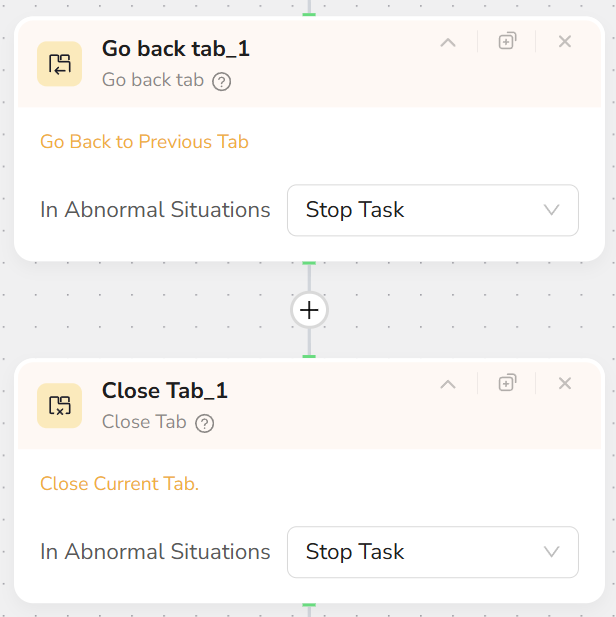
- In Loop List** + **Click Element Item scenarios, a common pattern is:
- List Click → Detail Page Extraction → Go Back / Close Tab → Continue to next item.
- If using multi-tab mode (Visit Page selects New Tab), use Close Tab to close specific tabs after processing to remove clutter.
- Note that Tab Operation actions only affect tabs within the current session; they do not affect other browser windows on the user’s local machine.