

1. Case Overview
This case demonstrates a very common e-commerce scenario: The list contains many items, but we only want to scrape those that “meet specific criteria” and skip the rest. In this example, we open an eBay search result page for laptops and check the first 10 items one by one:- Check: Does this item have a “Bulk Savings” discount text? (e.g., Save up to 10% when you buy more).
- If Yes: Record the Product Name + Price.
- If No: Skip this item immediately and look at the next one.
- Loop List: Responsbile for focusing on each product card sequentially.
- Condition: Performs a judgment on each product.
- True: Execute subsequent scraping nodes.
- False: Do nothing, automatically skipping to the next product.
- Scraping only discounted items.
- Scraping only items with a “Prime” badge.
- Scraping only content tagged “New” or “HOT”.

2. Detailed Steps
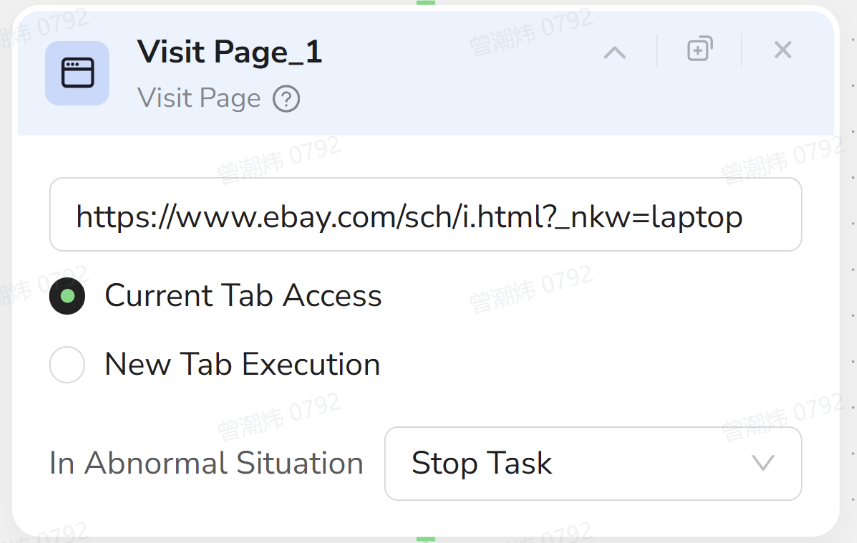
1. Visit Page (Open Search Results)
- Objective: Simulates opening a browser and entering the eBay search URL.
- Configuration:
- URL:
https://www.ebay.com/sch/i.html?_nkw=laptop - Tab: Select Current Tab Access.
- In Abnormal Situation: Keep Stop Task.
- URL:
2. Loop List (Traverse Product List)
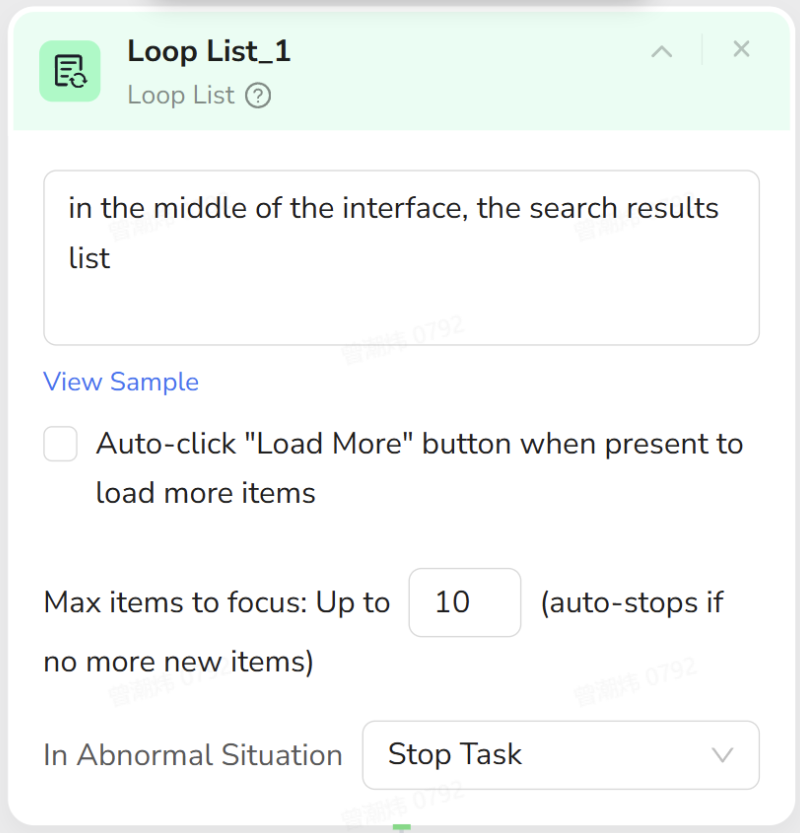
- Objective: Tell the AI: “This entire area is the product list. Please process items one by one.”
- Configuration:
- List Region: Select the main search result area in the middle of the interface. Description example:
In the middle of the interface, the search results list. - Max items to focus: Enter
10(focus on the first 10 items for quick testing). - Auto-click “Load More”: Leave unchecked (eBay uses pagination, not infinite scroll).
- In Abnormal Situation: Keep Stop Task.
- List Region: Select the main search result area in the middle of the interface. Description example:
Tip: As long as the Loop List region is selected accurately, the subsequent logic can be reused regardless of how complex the list is.
3. Condition (Check for Bulk Discount)
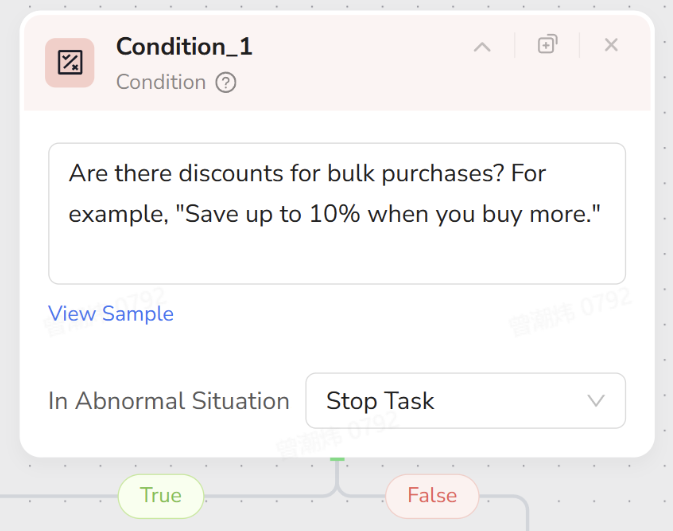
- Important: This node must be placed inside the Loop List node. This ensures the condition applies to the “currently focused product card.”
- Objective: Check the description area of the current product: Is there a bulk purchase discount prompt like “Save up to 10% when you buy more”?
- Configuration:
- Condition Description:
Are there discounts for bulk purchases? For example, "Save up to 10% when you buy more." - In Abnormal Situation: Keep Stop Task.
- Condition Description:
- Logic Explanation:
- True Branch: The product has the discount text → Considered a “matching item,” proceed to scrape.
- False Branch: The product lacks this text → Do nothing, automatically return to Loop List to check the next item.
4. Extract Data Item (True Branch: Scrape Matching Items)
- Context: This node is placed on the True branch of the Condition node.
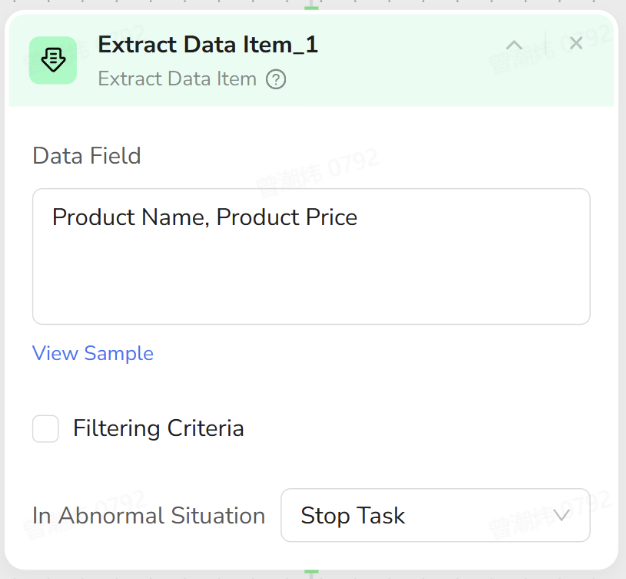
- Objective: Copy the core information of this “discounted product.”
- Configuration:
- Data Field: Define the fields you need, for example:
- Product Name
- Product Price
- Selection: Select the title and price elements on the current product card.
- Filtering Criteria: Leave unchecked.
- In Abnormal Situation: Keep Stop Task.
- Data Field: Define the fields you need, for example:
Note: The Extract Data Item only applies to the “current item.” The Loop List handles moving the focus to the next item automatically.
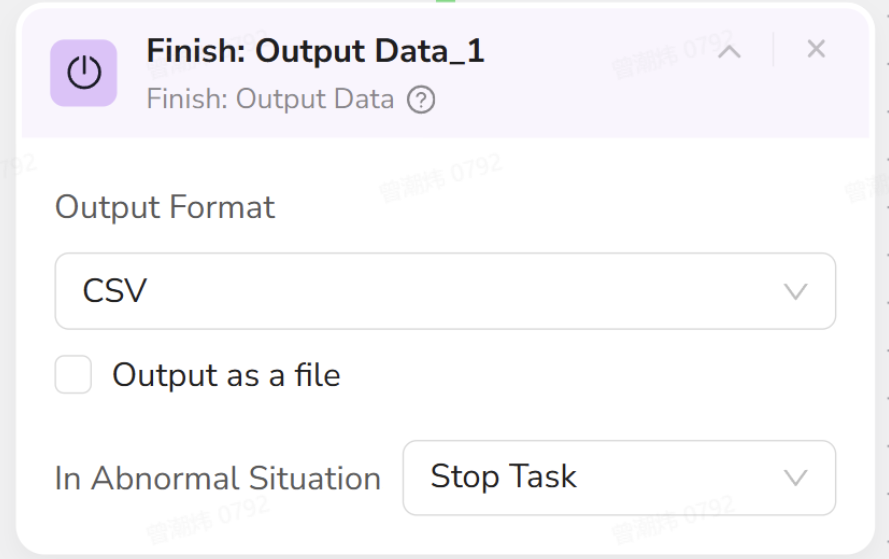
5. Finish (Output Results)
- Objective: After the Loop List finishes processing the first 10 items, compile all “matching items” into structured data.
- Configuration:
- Output Format: Select CSV or JSON based on your needs.
- Output as a file: Check this if you want a direct download link.
- In Abnormal Situation: Keep Stop Task.
Result: The final export will be a list containing only the “Discounted Items” with their names and prices.
3. Human Operation vs. AI Nodes
To better understand the workflow, compare how a human operates versus how the AI nodes are structured.| Your Action (Human Operation) | Corresponding AI Node | Function Description |
|---|---|---|
| Open browser, enter eBay laptop search URL. | Visit Page | Opens the target search result page to start the task. |
| Look at the long list of search results, ready to check them one by one. | Loop List | Tells the AI: “This entire area is the product list,” and iterates through items. |
| Glance at a product card: Does it say “Save up to 10%…”? | Condition (Inside Loop List) | Judges the current item: Has Discount → True; No Discount → False. |
| If Yes (True): Write down the name and price in your notebook. | Extract Data Item (True Branch) | Executes only when Condition is True, extracting Product Name and Price. |
| If No (False): Ignore it and look at the next item. | False Branch (Empty) | No action is taken. The Loop List automatically moves focus to the next item. |
| Final Step: Save the list of “Discounted Items” you collected. | Finish | Compiles all recorded data and exports it as CSV/JSON. |
Summary
The essence of this case is “Filter first, then Scrape” rather than scraping everything.- Loop List handles “Looking one by one.”
- Condition handles “Do I want this?”
- Extract Data Item handles “If I want it, write it down.”