


- Exporting collection results to CSV for Excel / Google Sheets analysis.
- Exporting JSON for consumption by other systems or APIs.
- Exporting Markdown for manual review or reporting.
- Aggregates all structured data outputs generated during workflow execution.
- Supports multiple export formats: JSON, CSV, XML, Markdown.
- Supports downloading results as a file.
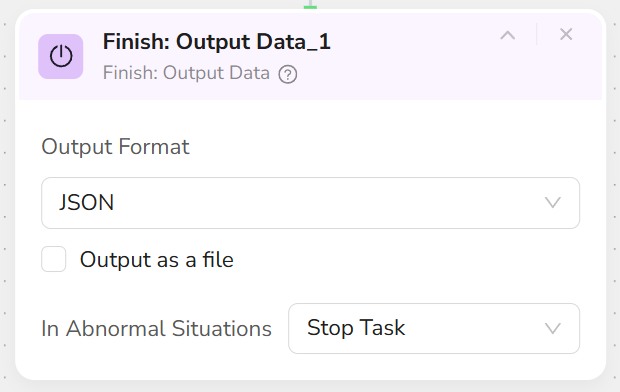
- Add an Output Data node at the end of the workflow (Note: There can be only one, and it must be the last node).
- Select the output format:
- JSON: Suitable for integrated systems, APIs, automation platforms.
- CSV: Suitable for spreadsheet analysis.
- XML: Suitable for traditional enterprise systems or standardized data exchange.
- Markdown (MD): Suitable for generating readable reports.
- If a direct file download is required, check the Output as file option.
- After the workflow completes, the output node will provide a download link or viewable result.
- Ensure there is at least one Extract Data / Extract Data Item node before Output Data; otherwise, the output will be empty.
- If multiple different export formats are needed, convert formats via external tools; keep one Output Data node within the workflow.
- When connecting to automation platforms (like Make, n8n), prioritize the JSON format.