

Visit Page
Overview
The Visit Page node opens a target webpage in the browser. It is commonly placed after the Start node and before clicks, text input, scrolling, or data extraction.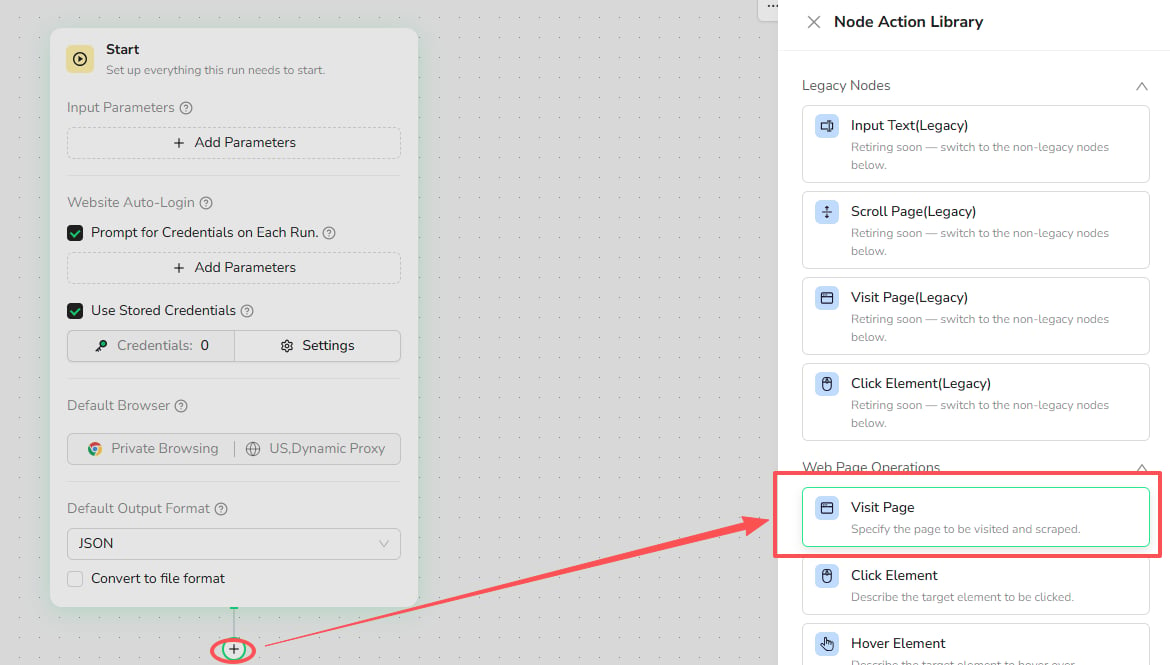
Use Cases
- Open a product list, search result, forum, or other target page.
- Start a monitoring or data extraction workflow from a fixed URL.
- Open a URL supplied through a Bot input or an earlier node.
- Open a page in a new tab while keeping the current page available.
Core Capabilities
- Open a complete URL in the current tab or a new tab.
- Reference an input parameter or a value from an earlier node.
- Configure how the workflow responds if the page cannot be opened.
Configuration Steps
- Select the
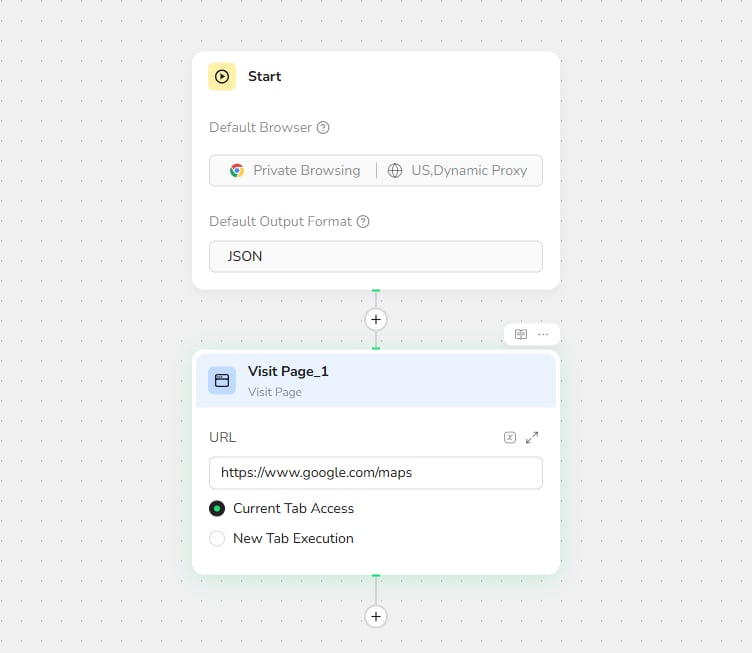
+below a node and choose Visit Page. - Enter a complete URL beginning with
http://orhttps://. - Select Current Tab Access or New Tab Execution.
- Configure the failure behavior when needed.
Use a Dynamic URL
The URL can reference an input parameter or a value produced by an earlier node. Use a dynamic URL when the destination changes between runs or while processing a list of URLs.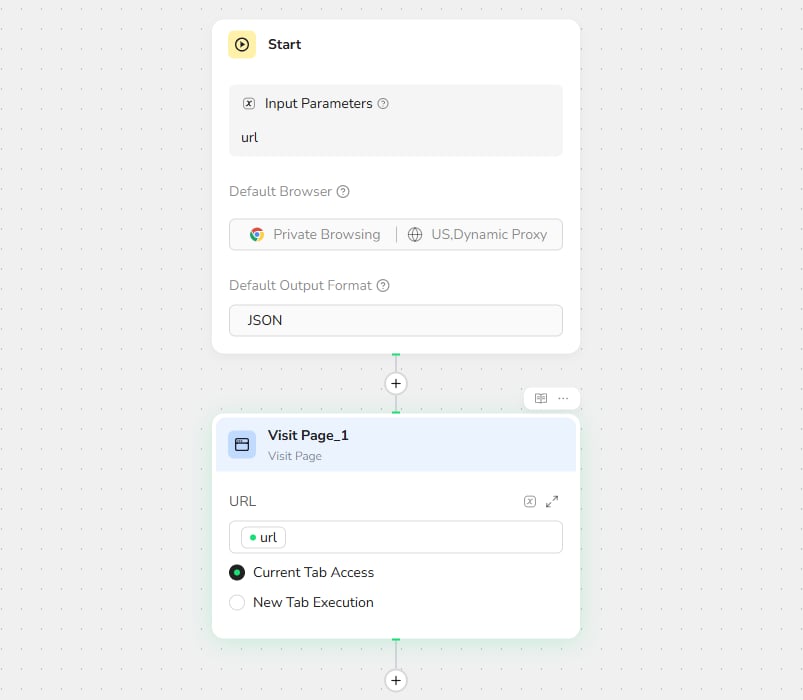
Recommendations
- Use one Visit Page node for each page-opening action.
- Use a direct URL when the workflow always starts from the same page.
- Open a new tab when the original page must remain available.
- Add interaction or extraction nodes after the page has loaded.
- Test the workflow before publishing the Bot.