How Bots Work
Building defines and tests the Bot’s extraction logic. Running uses a specific set of inputs to produce a structured result. Each build, test, or run creates a separate Task. A Task records the operation and its available status, inputs, result, and usage information.Bot Inputs
Inputs are values that can change between runs, such as:- URL
- Keyword
- Country or region
- Category
- Date range
- Record limit
Bot Outputs
Outputs are the structured fields returned by the Bot, such as product name, price, rating, source URL, or publish date. For list extraction, the result contains one structured record per item. A missing field should remain empty rather than being inferred from unrelated page content.Bot ID
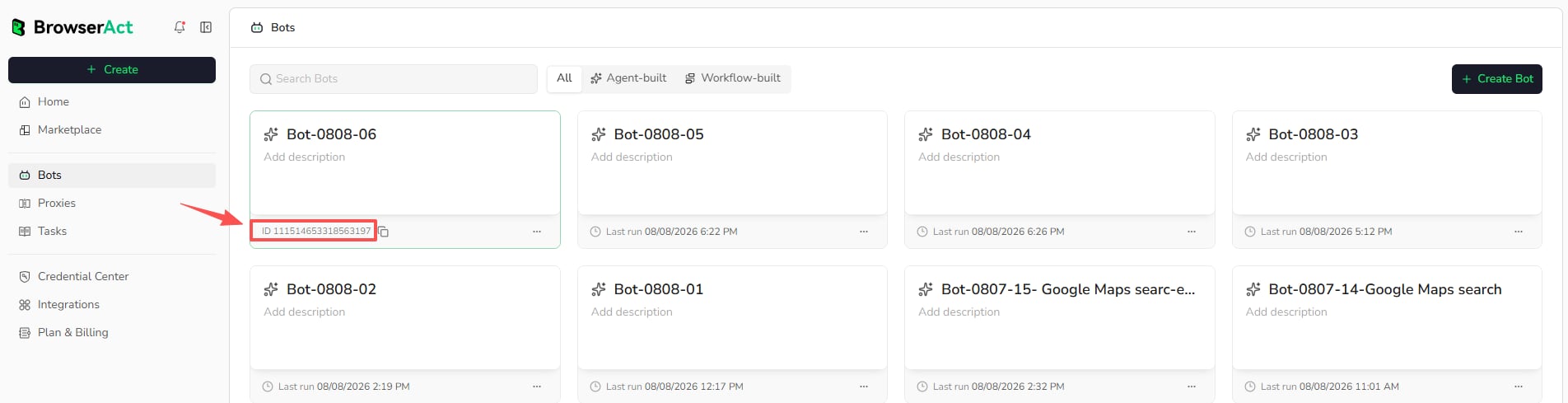
Every Bot has a Bot ID. You can find it in either of these ways:- Open
Botsand move the pointer over the Bot card to reveal its ID and copy button. - Open the Bot and find its ID in the Bot page URL in the browser address bar.
Task ID
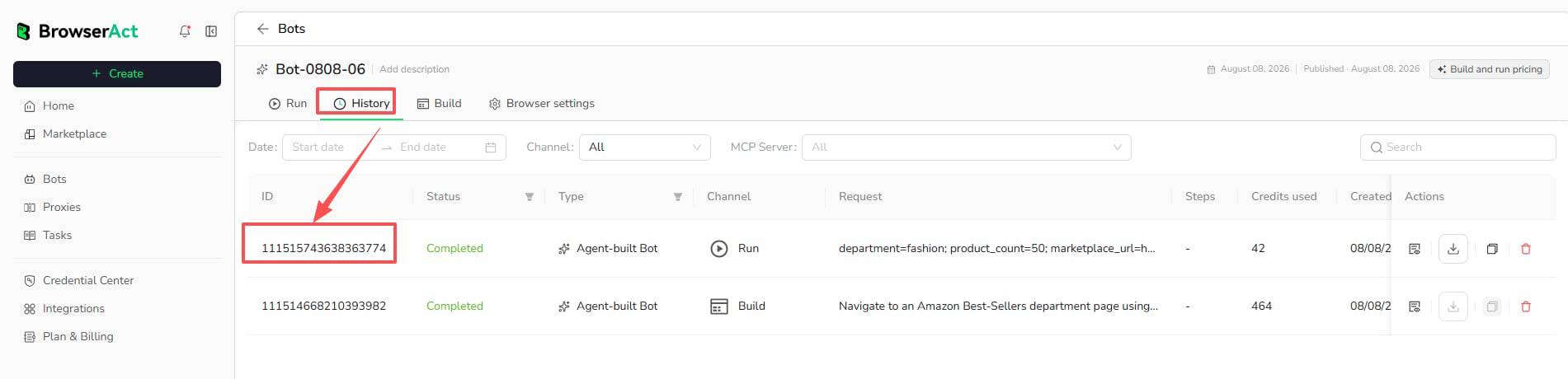
Every Task has a unique Task ID. It identifies one specific build, test, or run. Open the Bot, selectHistory, and find the Task ID in the ID column. You can also view it in the Task details.