

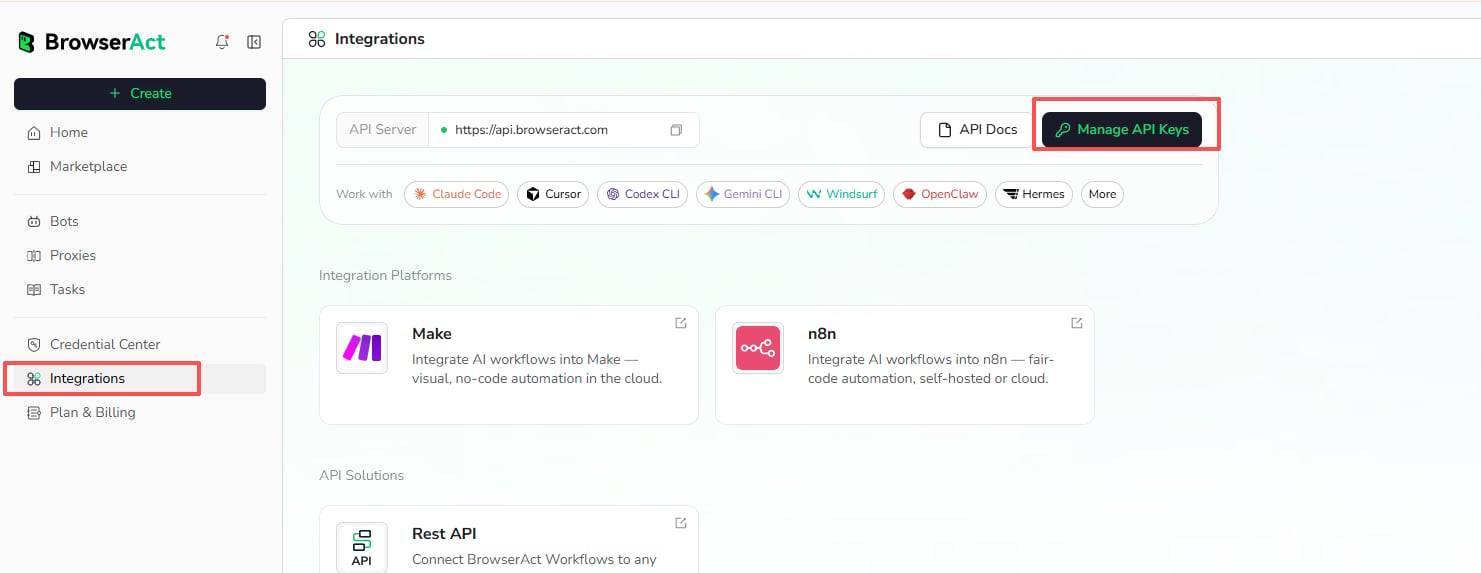
Open API Key Management
- Open
Integrationsin the BrowserAct dashboard. - Select
Manage API Keys.
Create an API Key
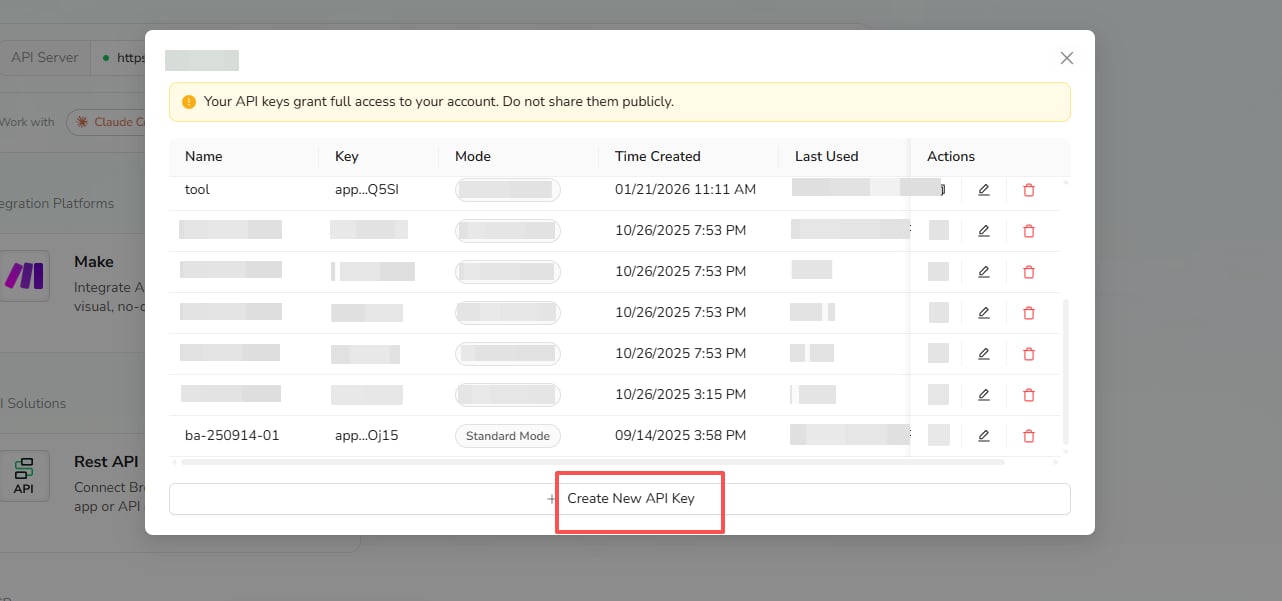
- In the API Keys window, select
Create New API Key.
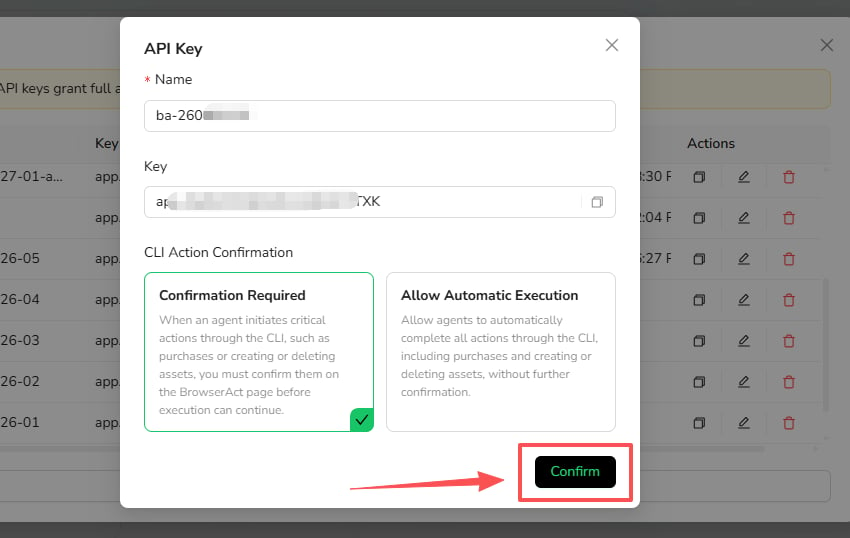
- Enter a name that identifies where the key will be used.
- Choose a CLI Action Confirmation mode.
Confirmation Required
Critical actions initiated through the CLI must be confirmed on the BrowserAct page before execution can continue. These actions can include purchases and creating or deleting assets.Allow Automatic Execution
The connected agent can complete supported CLI actions without additional confirmation, including critical actions shown in the product warning. Use this mode only for a trusted environment where unattended execution is required.- Select
Confirm.
Copy and Manage API Keys
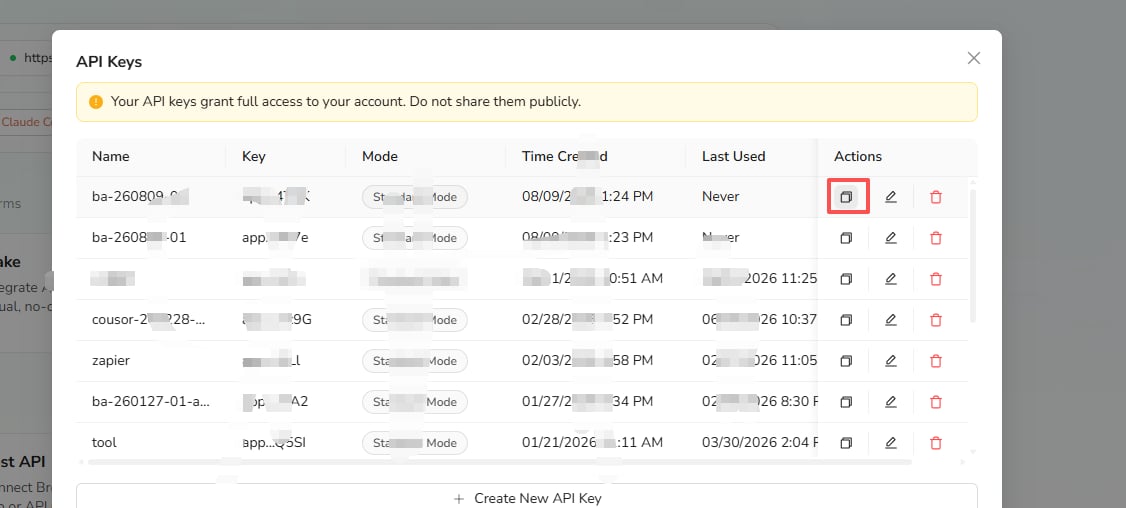
The API Keys list shows each key’s name, masked key value, mode, creation time, and last-used time. Use the icons in the Actions column to:- Copy the API key
- Edit its name or confirmation mode
- Delete the API key
API Usage Limits
- Rate limits: No rate limits.
- Free users: 1 task per run.
- Paid users: Up to 20 concurrent tasks.
- Task duration: Up to 7 hours per task.
Security Practices
- Do not place API keys in prompts, screenshots, public repositories, or shared documents.
- Use a separate key for each integration when practical.
- Prefer
Confirmation Requiredunless automatic critical actions are necessary. - Delete keys that are no longer used.
- If a key is exposed, delete it and create a replacement.