

Bots to find and manage the Bots in your BrowserAct account.
Browse, Search, and Filter
Use the search field to find a Bot by name. SelectAll, Agent-built, or Workflow-built to filter the Bot list by build method.
Each Bot card shows its name, description when available, Bot ID, and available last-run information.
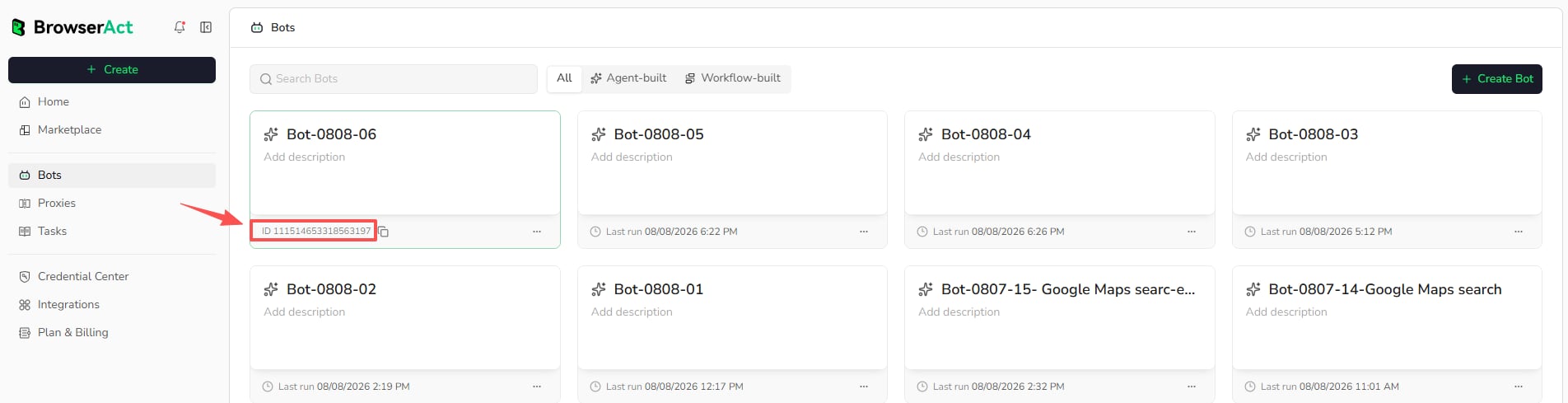
Copy a Bot ID
Use the copy control beside the Bot ID. The Bot ID identifies the Bot in supported integrations and developer workflows.Bot Actions
Select the three-dot menu in the lower-right corner of a Bot card to access the available actions: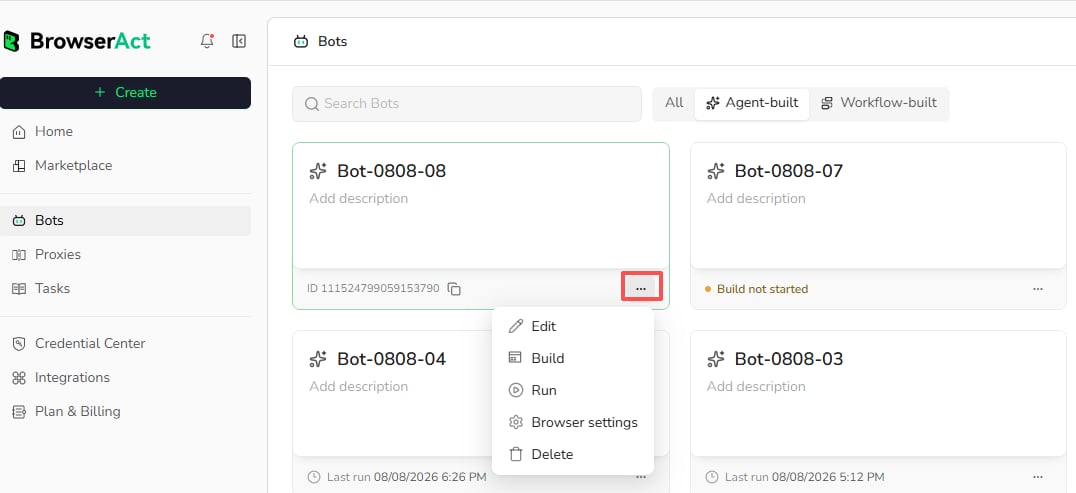
Edit: update available Bot details.Build: open the Bot’s build experience.Run: start the Bot with the required inputs.Browser Settings: change the browser and network environment used by future tasks.Delete: permanently remove the Bot when deletion is allowed.