

After you run a template, BrowserAct creates or reuses a template Bot in your account. You can return to it without reopening the Template Marketplace.

Find Template Bots

  1. Open Bots.
  2. Select the Template filter.
  3. Open the template Bot you want to manage.
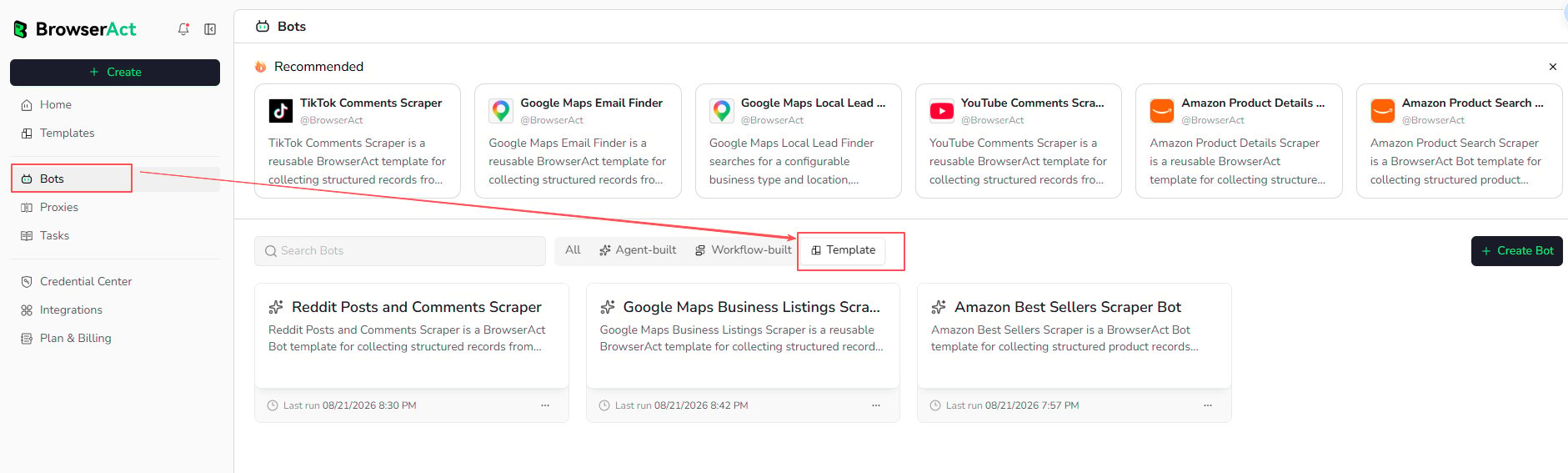
Find template Bots with the Template filter From the template Bot, you can:
  • Enter new runtime inputs and run it again
  • Review previous Tasks from History
  • Adjust supported browser and proxy settings from Browser Settings
  • Create an editable duplicate when you need to change the Bot itself
The official template structure remains read-only. BrowserAct template updates preserve the existing template Bot’s settings and History.