

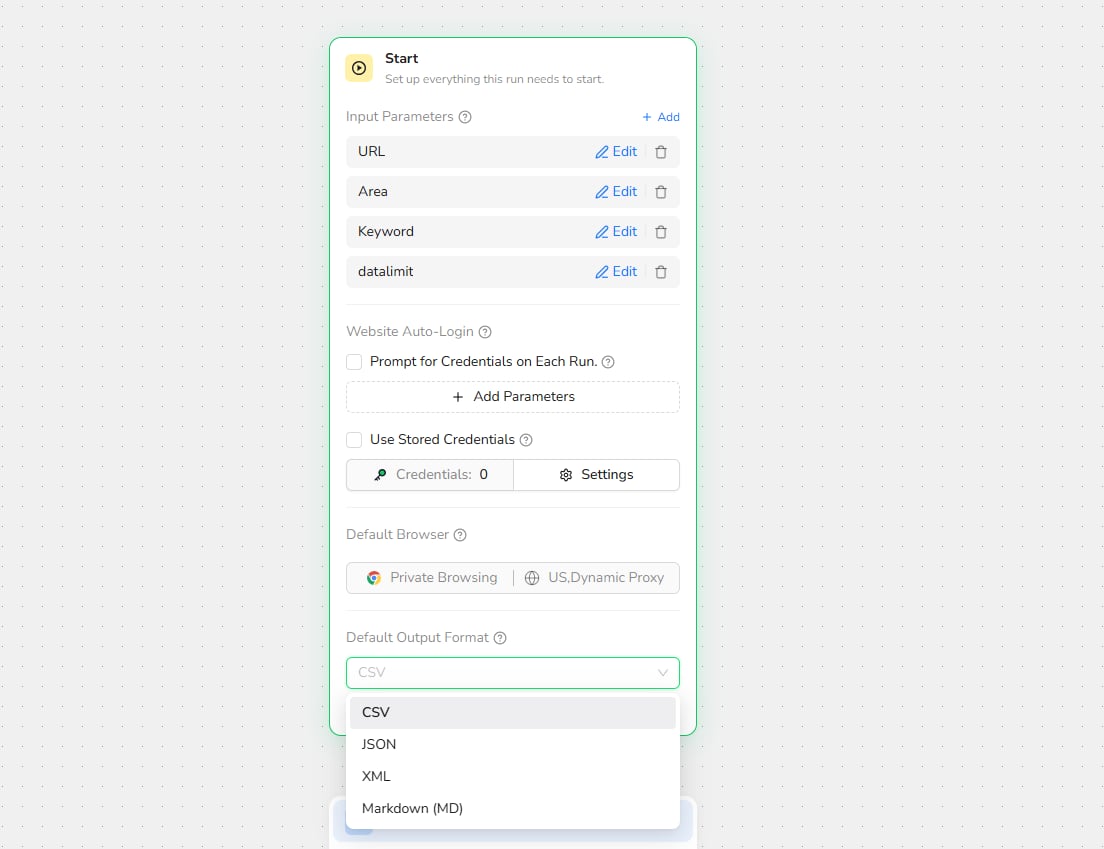
- Defining input parameters that users provide before a run.
- Configuring credential prompts or stored credentials.
- Selecting the default browser mode and proxy region.
- Selecting the default result format.
- Converting the structured result to a downloadable file.
- Defines the workflow input parameters.
- Configures supported website auto-login options.
- Sets the default browser mode and proxy region.
- Sets the default output format for the workflow result.
- Supports converting the result to a file format.
- Open the Start node at the beginning of the workflow.
- Add the input parameters required for each run.
- Configure website auto-login when the workflow requires an authenticated page.
- Select the default browser mode and proxy region.
- Select the Default Output Format.
- Enable Convert to file format when the result should be returned as a downloadable file.
- Use clear input parameter names and descriptions.
- Select the browser mode and proxy region that match the target website.
- Use JSON for API and automation integrations, or CSV for spreadsheet use.
- Test the output before publishing to confirm that all required extraction fields are returned.