

Open API & Integrations
Select API & Integrations in the sidebar:- All integrations: browse integrations by category.
- Bot integrations: manage saved destination configurations across Bots.
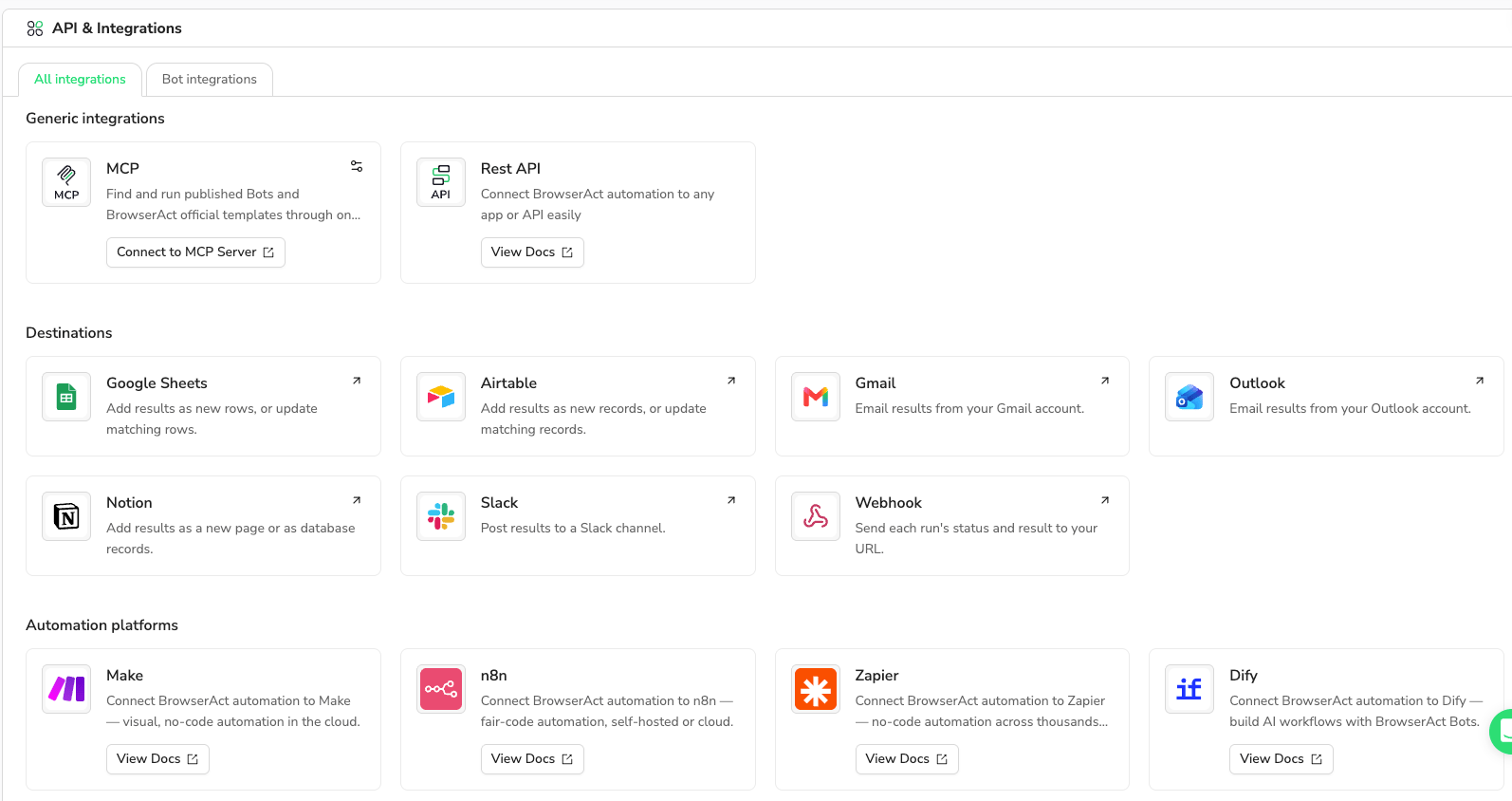
Generic integrations
For connections that require a key, see API Keys & Authentication.
Destinations
Currently available only for published Agent-built Bots.
Open a published Bot → Integrations → Configure on a destination card. Set the account, target, run sources, and content, then save. Webhook uses a receiving URL and events instead of account authorization.
A Bot can connect to multiple platforms, with one saved configuration per platform. Each has its own Enabled switch.
Delivery conditions
Select at least one source: Manual runs, Scheduled runs, Runs from Make, n8n & Zapier, or API runs. Account-based destinations deliver after successful runs from selected sources. Webhook can also deliver selected Failure and Cancelled events. MCP calls, build tasks, draft tests, and Bots reused inside a Workflow do not trigger destinations. Saving a configuration does not send a test result.Automation platforms
Use View Docs on each card for setup. Have your Bot ID, required inputs, and any required API key ready. Some third-party tools still label Bots as Workflow or Run a Workflow.
For BrowserAct’s built-in scheduling, see Schedule Bot Runs.
Manage Bot Deliveries
Open API & Integrations → Bot integrations.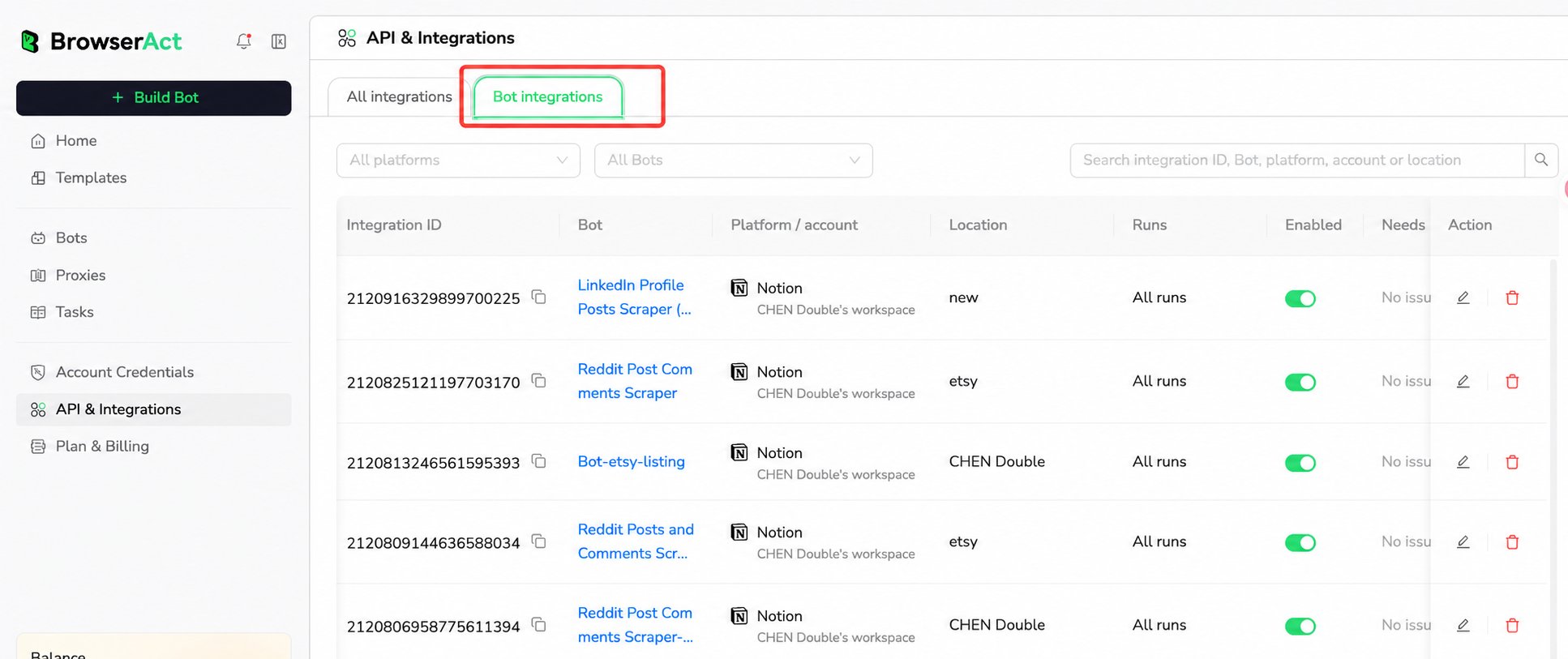
- Filter by All platforms or All Bots; search by integration ID, Bot, platform, account, or location.
- Check Location and Runs to confirm the target and selected sources.
- Use Enabled to pause or resume delivery, the pencil under Action to edit, or the trash icon to remove a configuration.
Check delivery
Open a Bot’s History or the global Tasks list. Hover over Delivery next to Status, or focus it with the keyboard, to view each destination’s account, target, status, and returned details or error.
Individual destinations show Waiting, Succeeded, or Failed. Counts refer to destinations, not data rows. Run status and delivery status are separate: a successful run can have a failed delivery. Check the target application to confirm the result.