

Open Proxy Settings
OpenBots, select a Bot, and then select Browser settings. Under Browser Proxy, choose BrowserAct Proxy or Custom Proxy.
When using BrowserAct Proxy, select either Dynamic Proxy or Static Proxy.
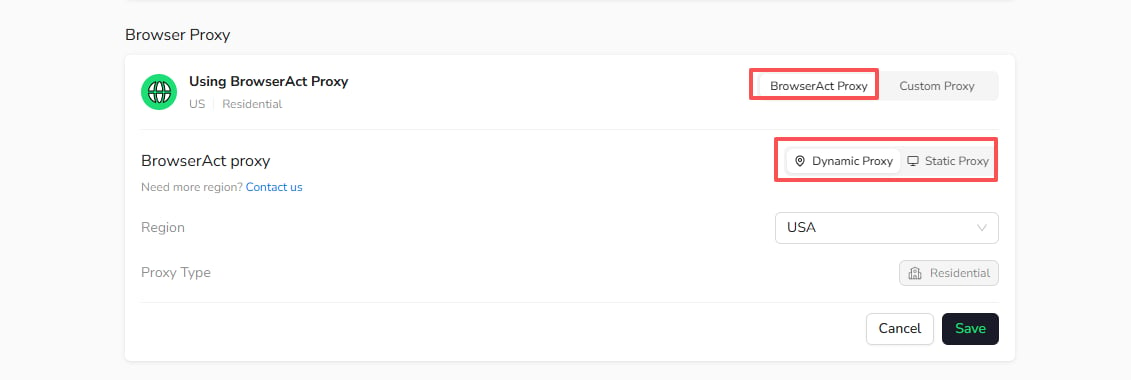
Choose a Proxy
- Use Static Proxy when the Bot needs to keep a stable IP.
- Use Dynamic Proxy when IP rotation and regional access matter more than a fixed identity.
- Use Custom Proxy when you want to connect a proxy from your own provider.