

Video Tutorial
 Watch Configure HTTP and SOCKS5 Custom Proxies on YouTube.
Add a Custom Proxy
- Open
Botsand select the Bot. - Select
Browser settings. - Under Browser Proxy, select
Custom Proxy. - Select
Add Proxy.
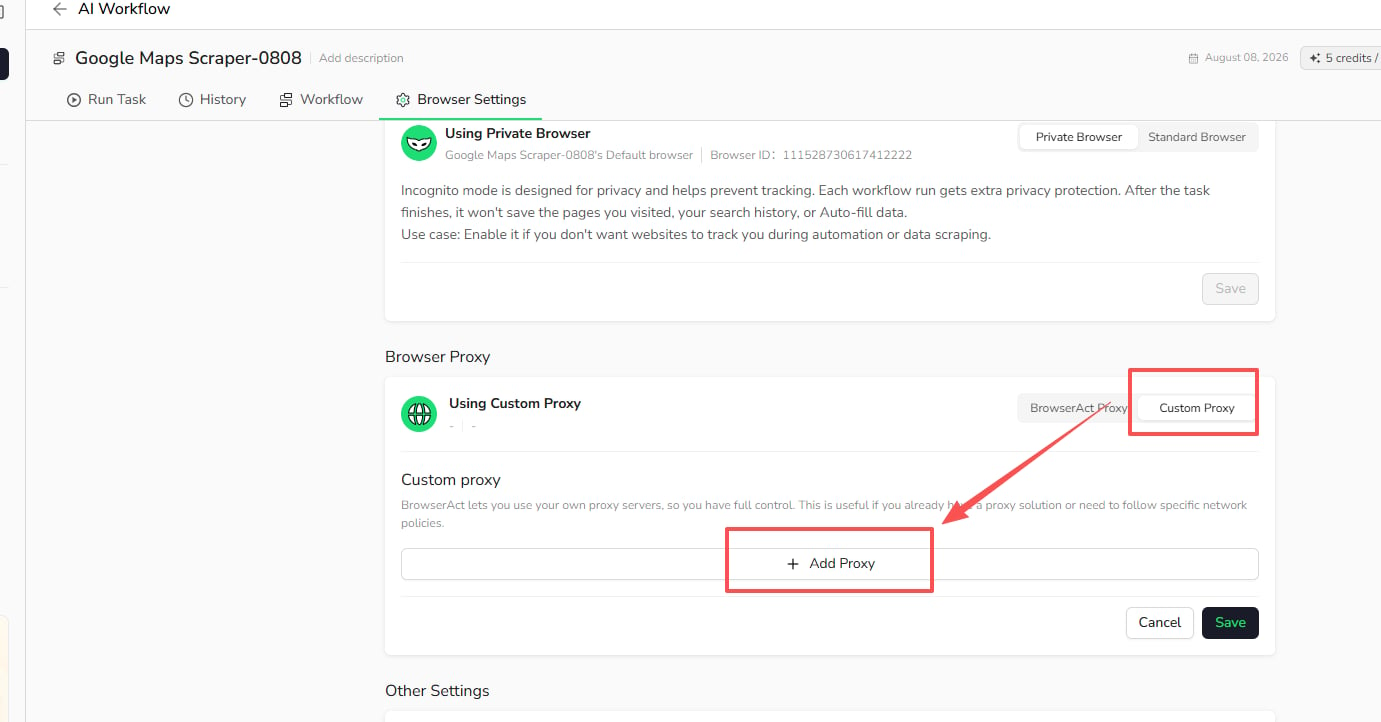
- Choose a supported protocol and enter the server address and port.
- Enter the username and password when required by your proxy provider.
- Select the proxy region.
- Select
Check proxyto validate the connection. - After the check succeeds, select
Save.
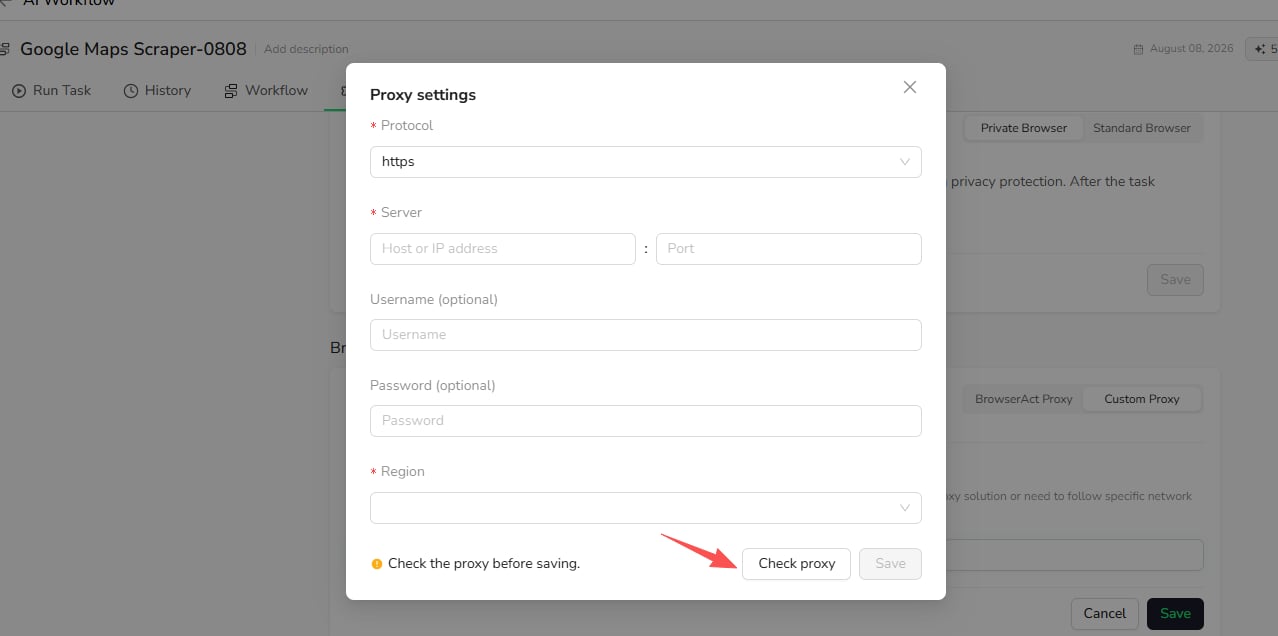
Check proxy verifies that the proxy is reachable before the Bot uses it.