

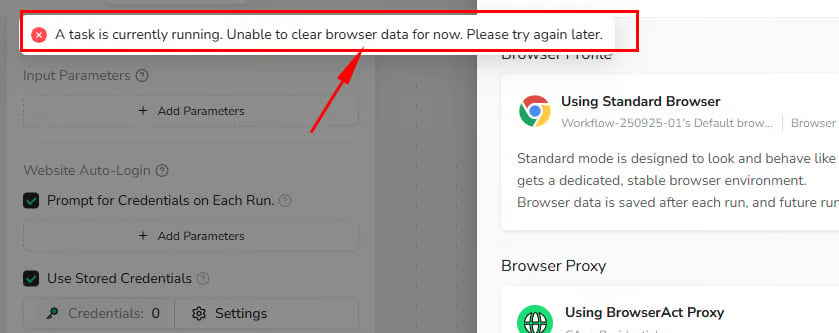
“Clear Browser Data” Is Disabled
Browser data cannot be cleared while a Task is running. Wait for the Task to finish, or stop it when appropriate. Then return toBrowser settings and select Clear browser data again.
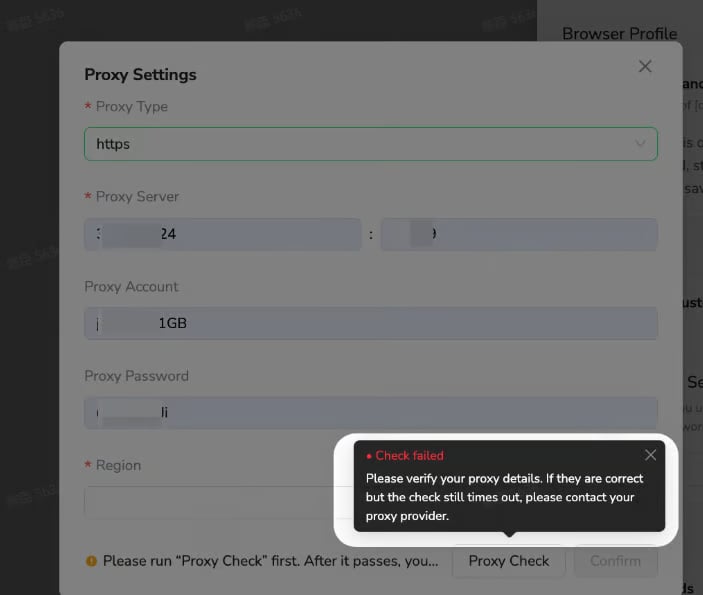
Proxy Check Failed
A Custom Proxy check can fail when:- The server address or port is incorrect.
- The selected protocol does not match the proxy.
- The username or password is incorrect.
- The proxy endpoint is unavailable or has timed out.
Check proxy again. If the information is correct but the check continues to time out, contact your proxy provider.
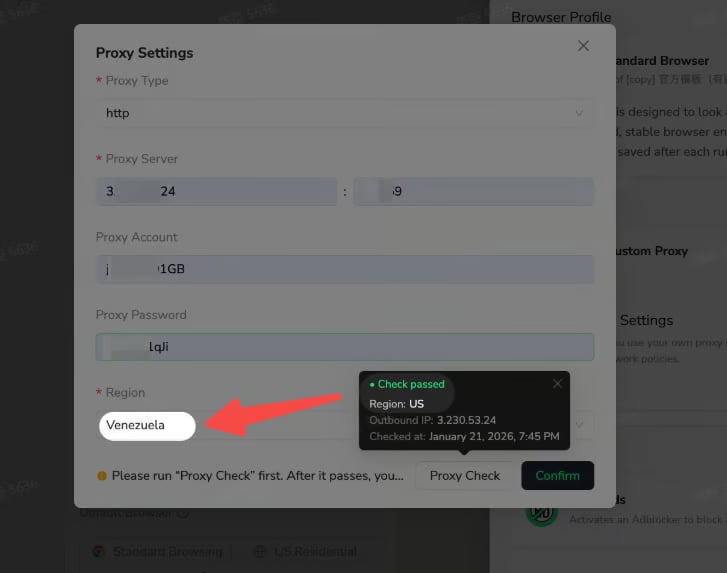
Detected Proxy Region Does Not Match the Selected Region
After a successful proxy check, BrowserAct displays the detected region and outbound IP address. If the detected region differs from the region selected inProxy settings, choose the region that matches the proxy’s actual outbound location, then confirm and save the configuration.
Frequent Login or Verification Prompts
This can happen when a login-based Bot usesPrivate Browser or its browser profile changes frequently.
- Switch to
Standard Browserto retain browser state between runs. - Use a BrowserAct Static Residential Proxy when the website expects a consistent IP.
- Avoid clearing browser data or refreshing the browser profile unless necessary.