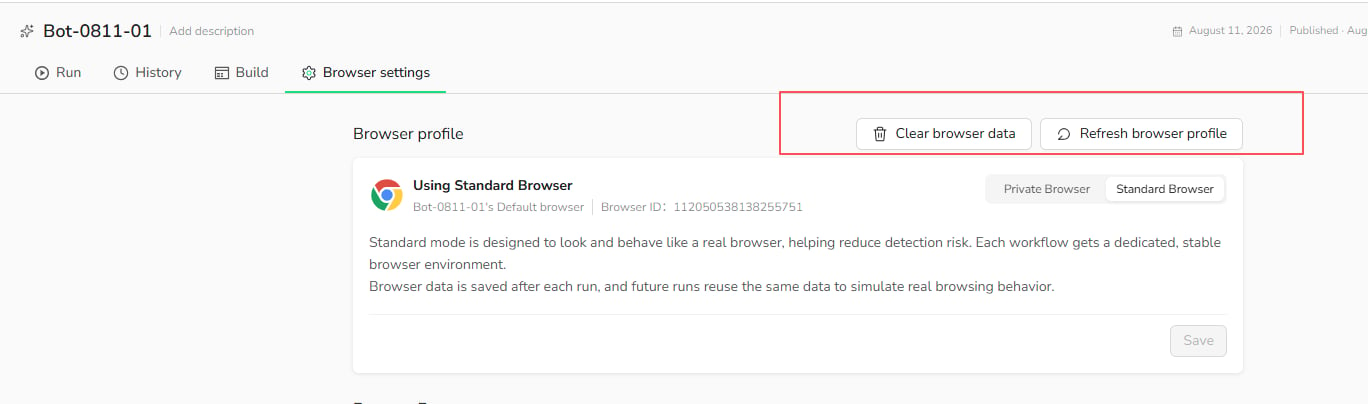
Browser settings to manage these options.
Block Ads
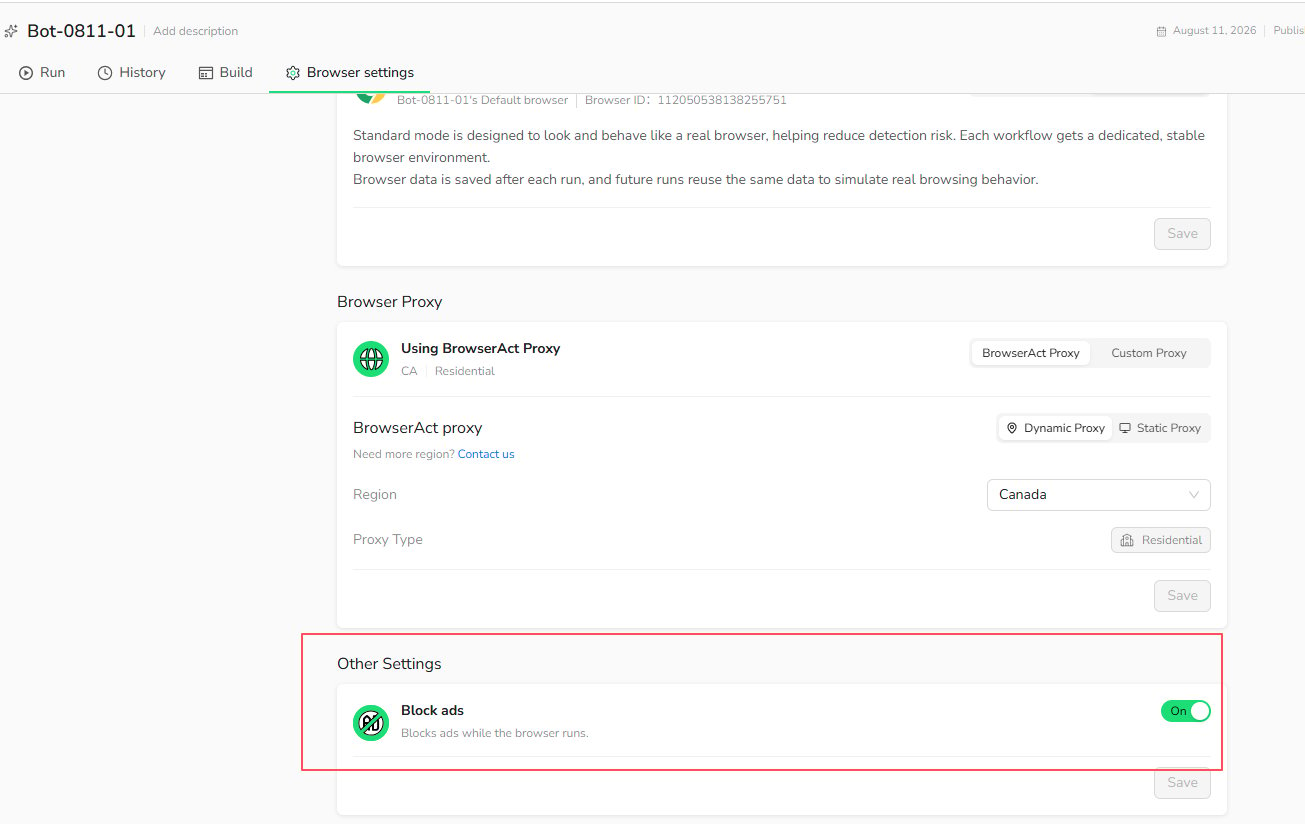
EnableBlock ads to block ads while the browser runs. This can reduce distractions and improve page loading when advertisements are not required for the Bot.
- Open
Browser settings. - Scroll to
Other Settings. - Turn on
Block ads. - Select
Save.
Browser Maintenance
The following maintenance actions apply to aStandard Browser, which retains browser data between runs.
Clear Browser Data
SelectClear browser data to remove the Standard Browser’s saved cookies, cache, browsing history, and session data. The Browser ID and browser profile remain unchanged.
Use this action when a saved session is outdated, the website is loading stale data, or you want the Bot to start with a clean browser state.
Clearing browser data signs the Bot out of websites that relied on the stored session. This action is unavailable while a Task is running.
Refresh Browser Profile
SelectRefresh browser profile to replace the current browser profile. Websites may recognize the refreshed profile as a new browser or device.
Use this action when clearing browser data does not resolve a browser-profile issue. You may need to sign in again after refreshing the profile.