

Open the Billing Dashboard
- Open
Plan & Billingfrom the BrowserAct dashboard. - Select the
Dashboardtab.
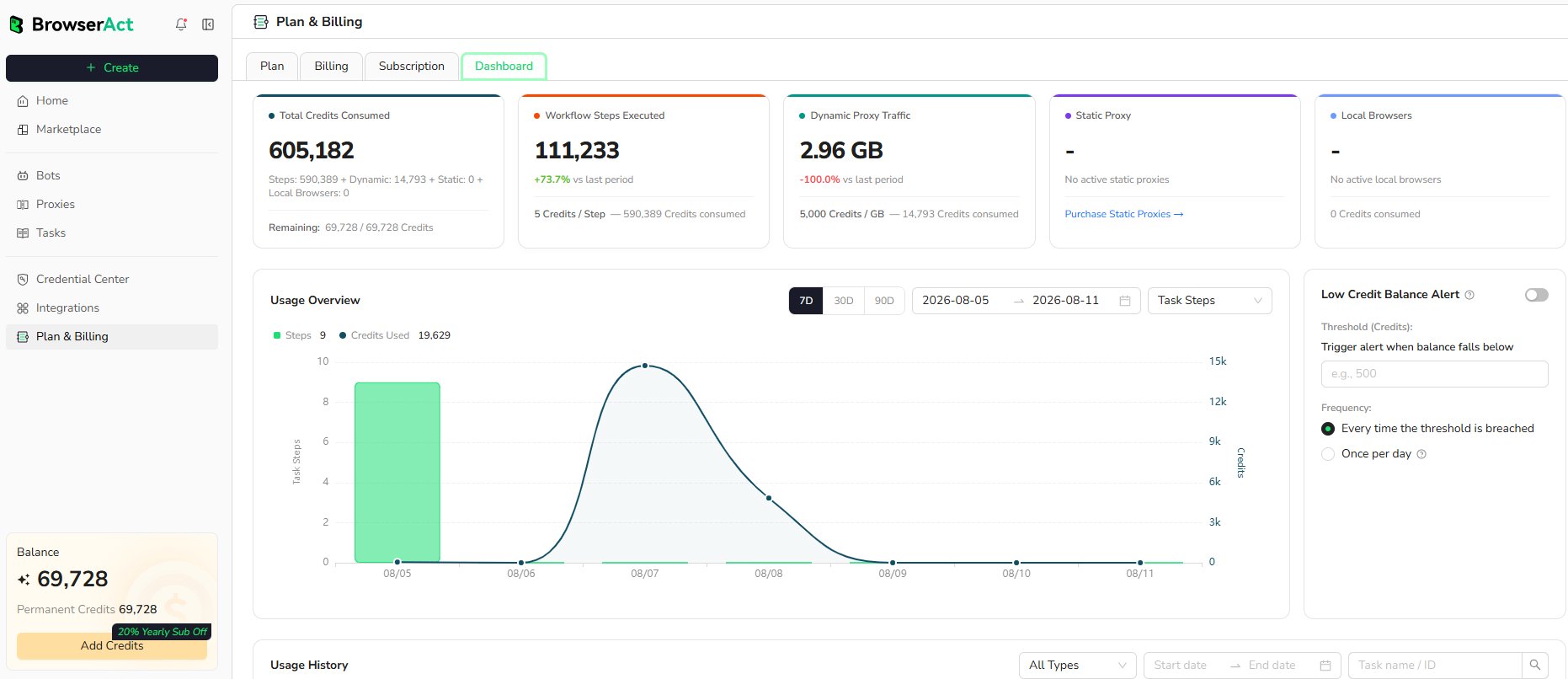
Review Credit Consumption
The summary shows the current usage categories available for the account:- Total Credits Consumed: Total usage and the remaining credit balance
- Workflow Steps Executed: Workflow Built steps and the related credit consumption
- Dynamic Proxy Traffic: Bandwidth used and the corresponding credits
- Static Proxy: Active Static Proxy usage when applicable
- Local Browsers: Active local fingerprint browsers and the related credits
Filter the Usage Overview
Use the controls above the chart to:- View the last 7, 30, or 90 days
- Select a custom date range
- Change the usage category shown in the chart
Review Usage History
UseUsage History to inspect individual credit consumption records.
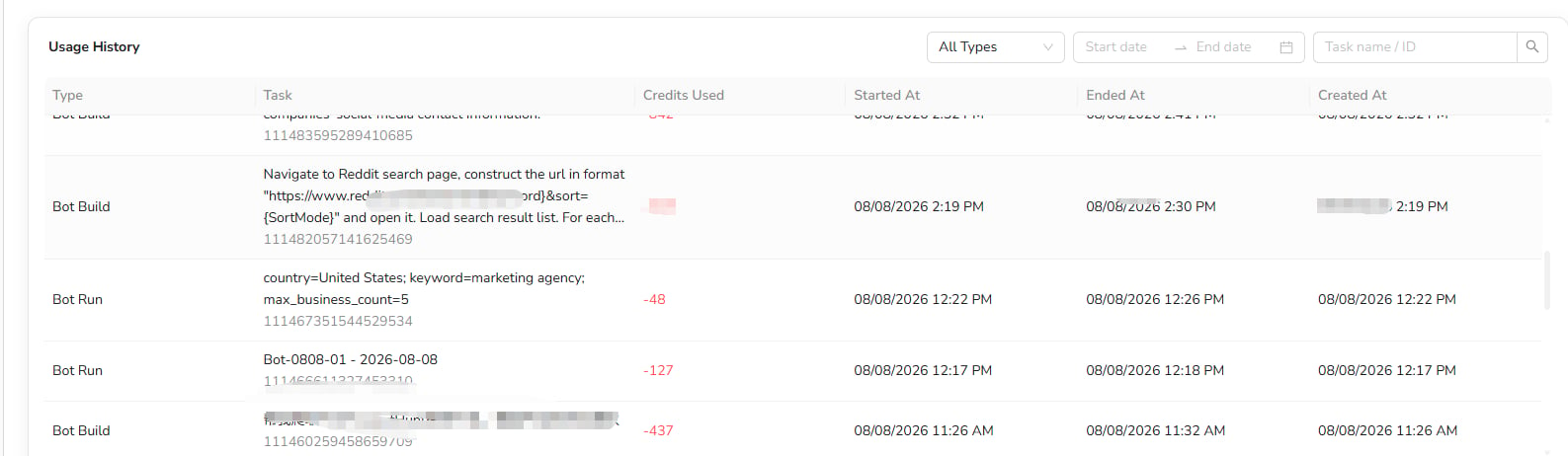
- Type: The activity that consumed credits, such as Bot Build or Bot Run
- Task: The request summary, Task name, and Task ID
- Credits Used: Credits deducted by the activity
- Started At: When execution started
- Ended At: When execution finished
- Created At: When the Task was created
Set a Low-Balance Alert
Turn onLow Credit Balance Alert when you want BrowserAct to notify you after the balance falls below a specified threshold.
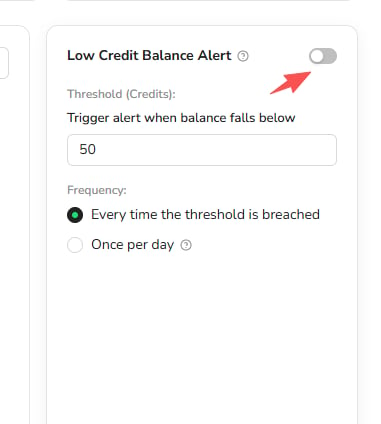
- Enable the alert.
- Enter the credit threshold.
- Choose whether to notify every time the threshold is breached or once per day.