

Set Up a Scheduled Run
- Create a Make scenario and add the BrowserAct app.
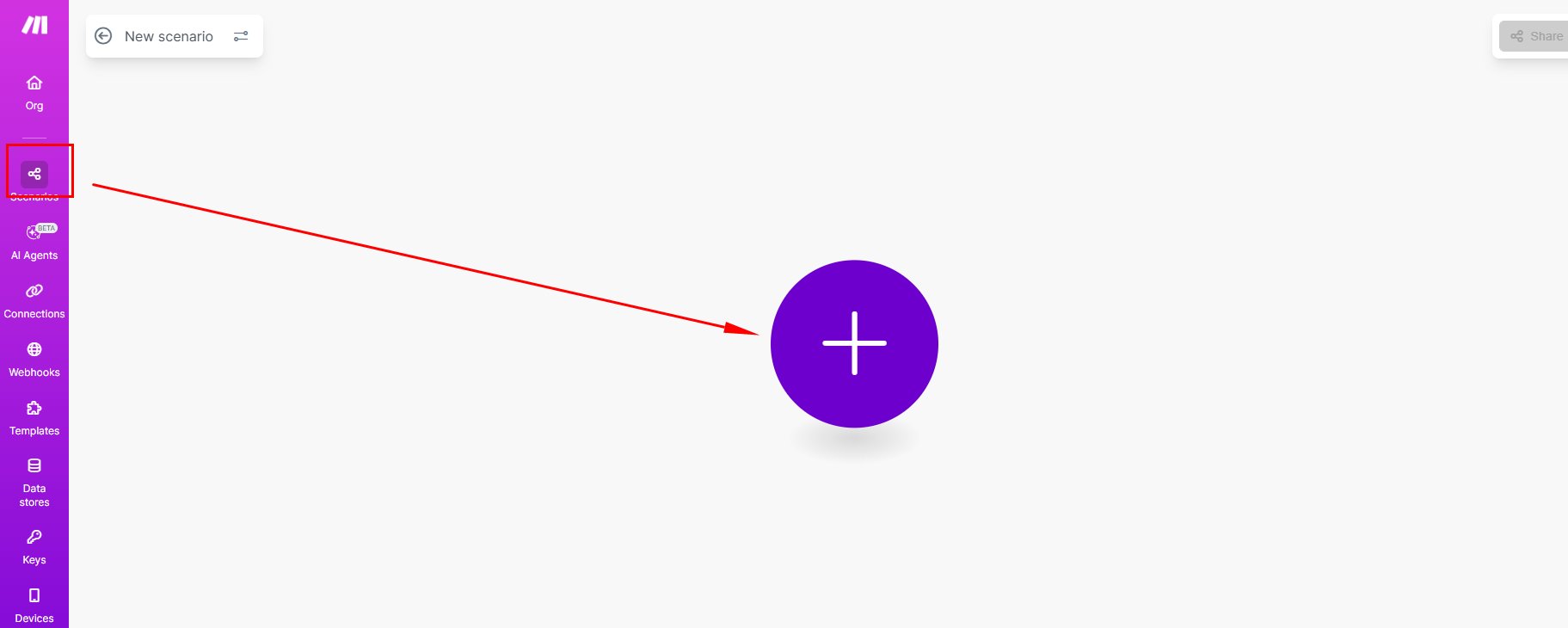
- Select
Run a Workflow, connect your BrowserAct account, and choose the Workflow that corresponds to your Bot.
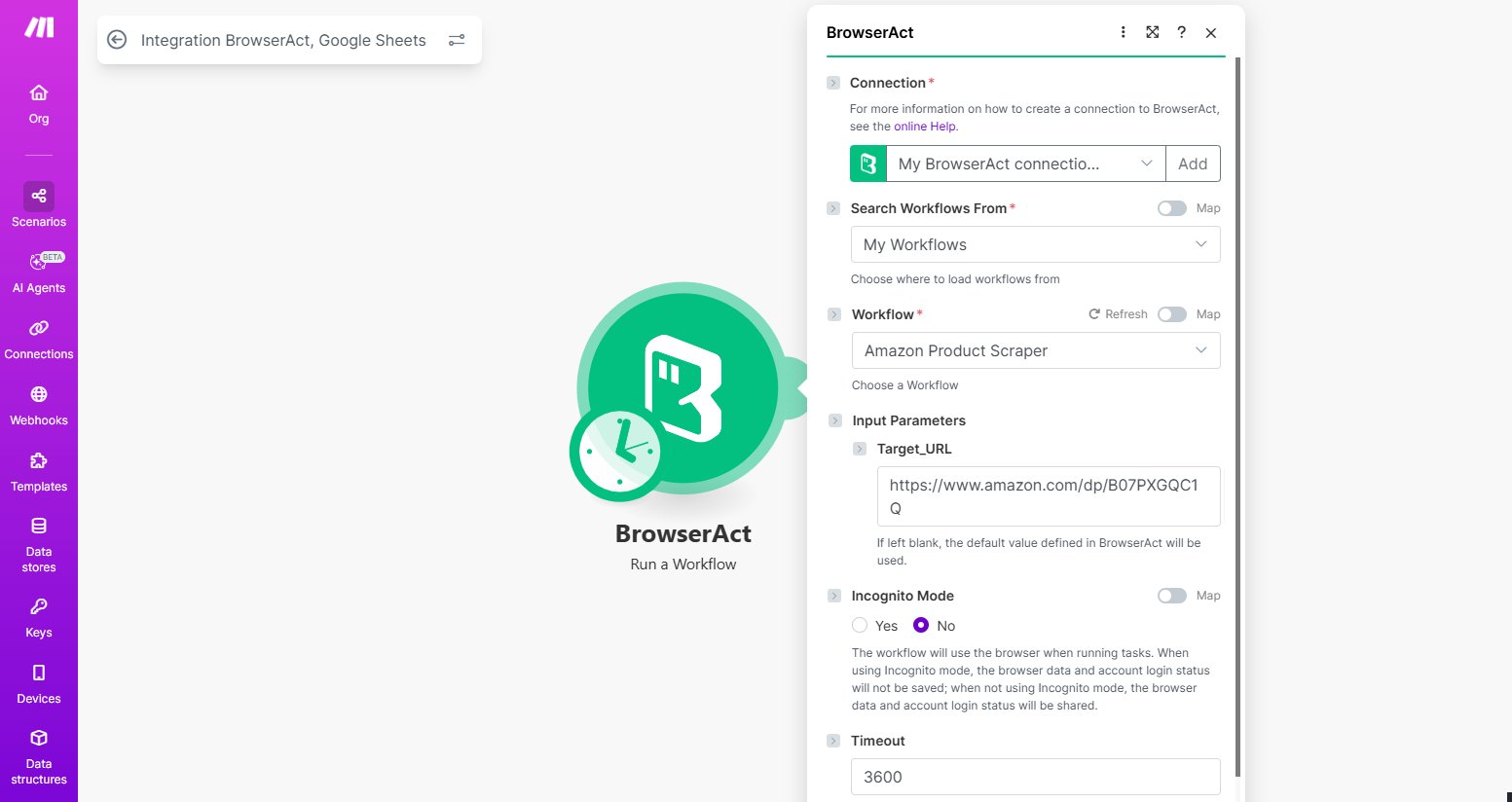
- Enter or map the required Bot inputs.
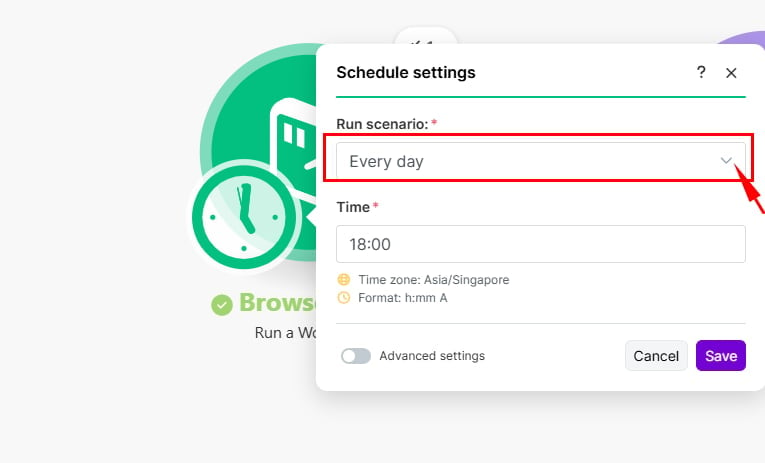
- Open the scenario scheduling control.
- Choose the interval, date, time, or supported schedule that fits the task.
- Run the scenario once to verify the Bot and downstream modules.
- Save and activate the scenario.
Tasks to view activity across all Bots, or open a specific Bot and select History.
Common Uses
- Monitor prices or availability.
- Collect recurring reports.
- Refresh lead or market data.
- Send scheduled results to Google Sheets, a database, or another application.
Naming note: Make may displaySee Integrate BrowserAct with Make for API key, connection, and input mapping instructions.WorkfloworRun a Workflow. These labels refer to the corresponding BrowserAct Bot.