

Open Run History
- Open
Botsand select the Bot. - Select the
Historytab.
See all history from the Run tab after starting a Bot.
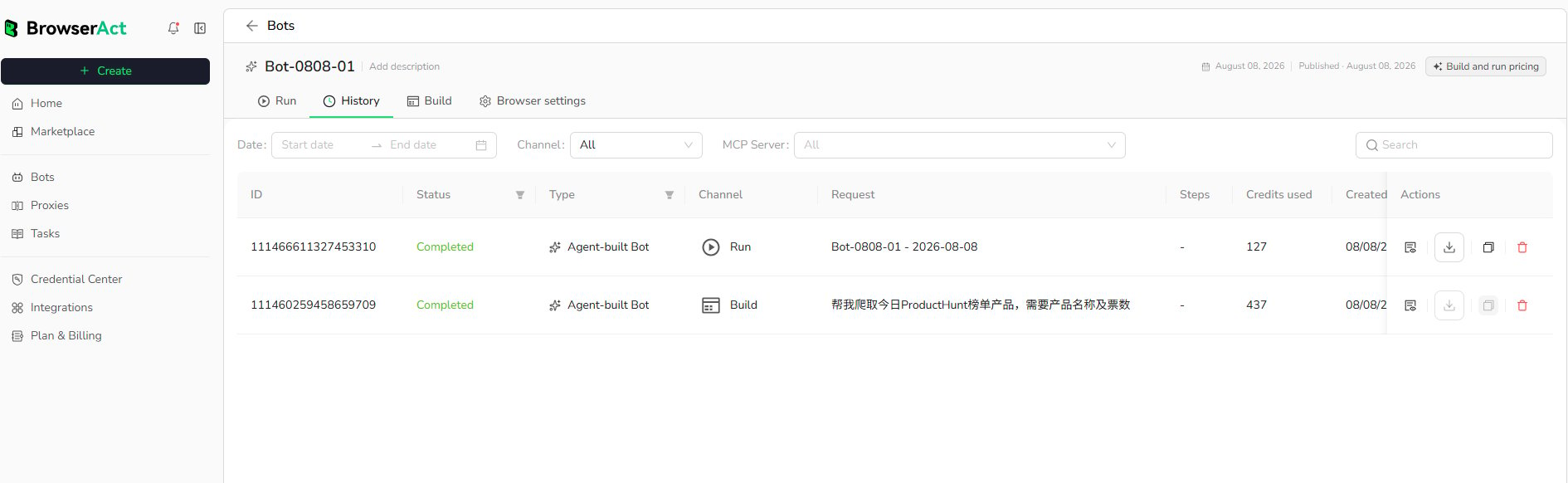
Find a Record
Use the available controls to narrow the list:- Date range
- Channel
- Additional channel filters shown by the current product
- Search
Information in Each Record
A history row can show:- Task ID
- Status
- Bot type
- Channel, such as Run or Build
- Request or run name
- Steps when available
- Credits used
- Creation time
- Available record actions
Review a Completed Run
Locate the record by date, channel, or search. Confirm that its status isCompleted, then use the available action to inspect or download the result.
Build records and Run records may appear in the same History view. Use the Channel filter to separate them when needed.