

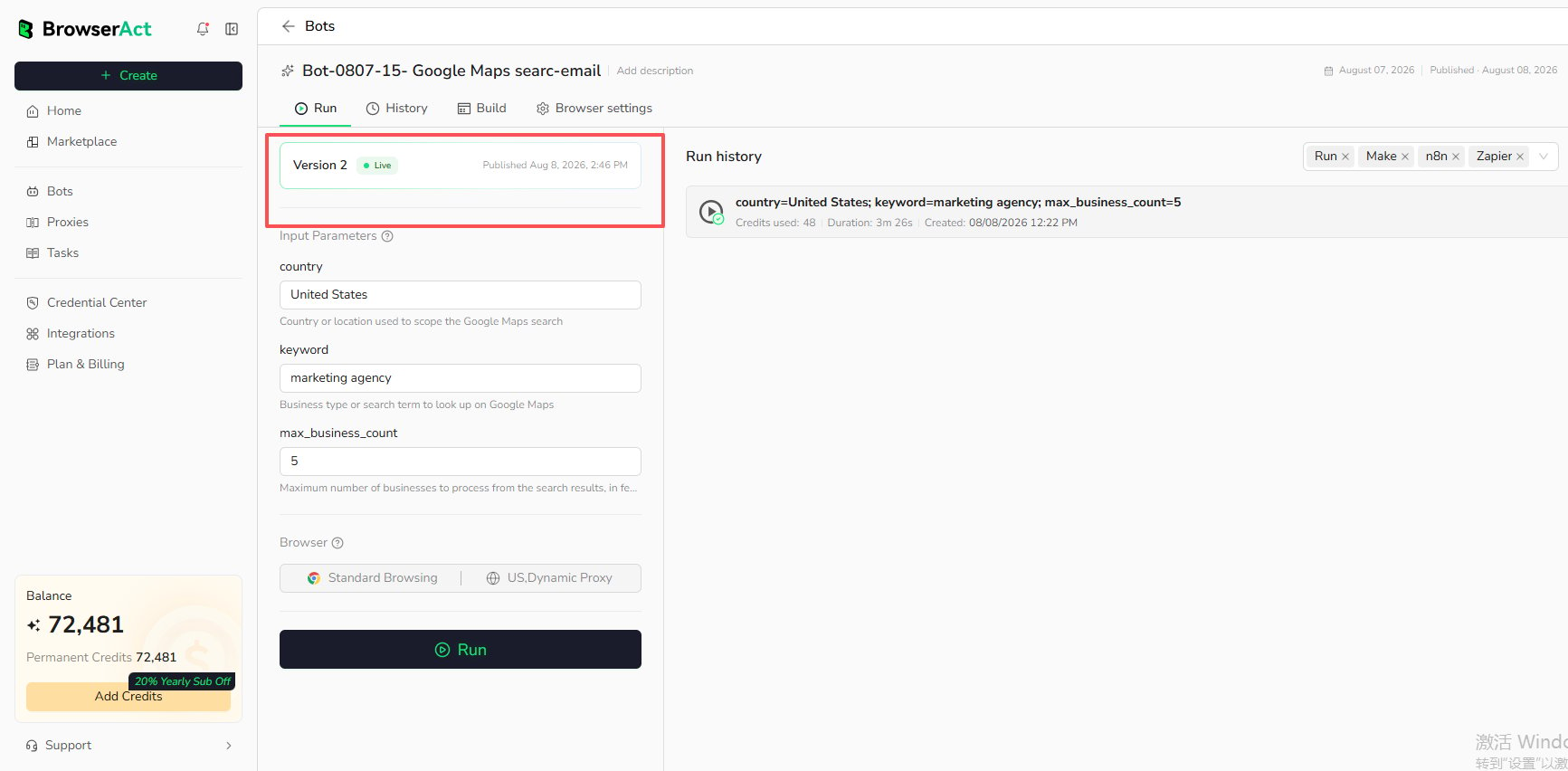
Live version.
Before You Run
Confirm that:- The Bot has a published version marked
Live. - The browser and proxy settings match the target website.
- Required Bot inputs have valid values.
- Your account has enough credits for the run.
Start a Run
- Open
Botsand select the Agent Built Bot. - Open the
Runtab. - Enter the required input values.
- Review the browser configuration.
- Select
Run.
Live version. The version displayed on this page is not selectable.
The run creates a Task. The latest run appears in the Run history area with available duration, creation time, and credit usage.
Runs Started by Integrations
The Run history area can distinguish available channels such as direct Run, Make, n8n, and Zapier. The displayed channels depend on how the Bot was started. SelectSee all history or open the Bot’s History tab to review more records.