

Run Task page.
Before You Run
Confirm that:- The Workflow Built Bot has been published.
- Required input parameters have valid values.
- The default browser and proxy settings match the target website.
- Your account has enough credits for the run.
Start a Run
- Open
Botsand select the Workflow Built Bot. - Open the
Run Tasktab. - Enter the required input parameters.
- Review the default browser and proxy settings.
- Select
Run.
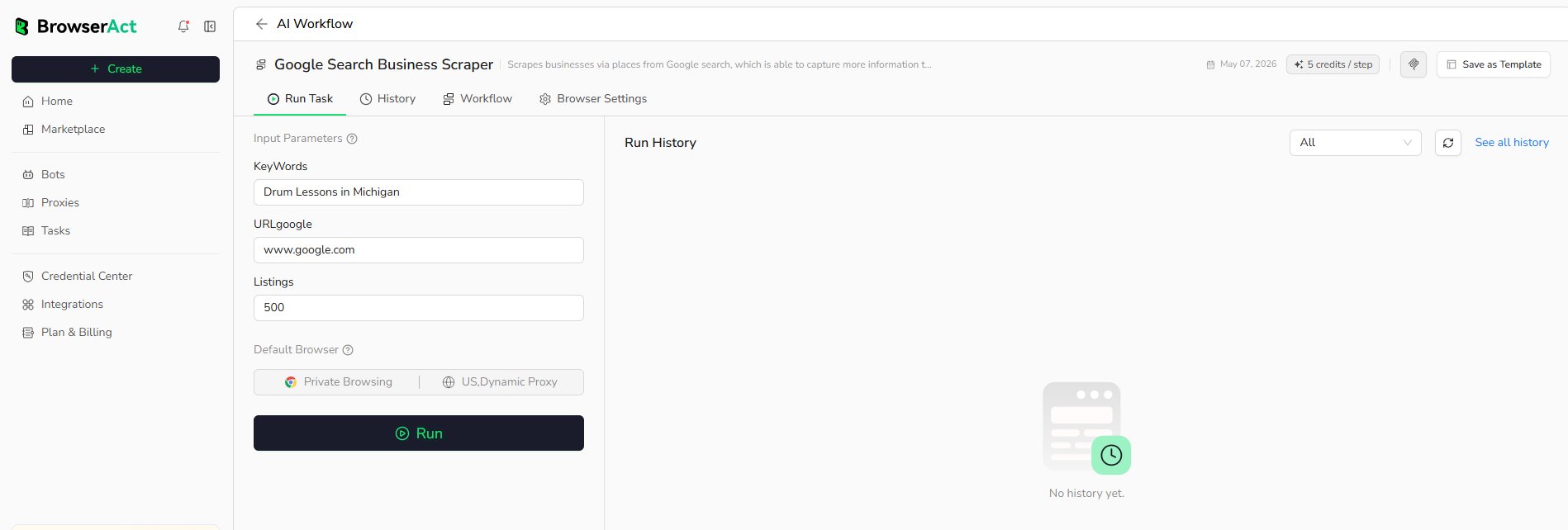
See all history or open the Bot’s History tab to review more records.