

Tasks to review records across all Bots. If you only want to view the task records for a specific Bot, you can also open that Bot and select History.
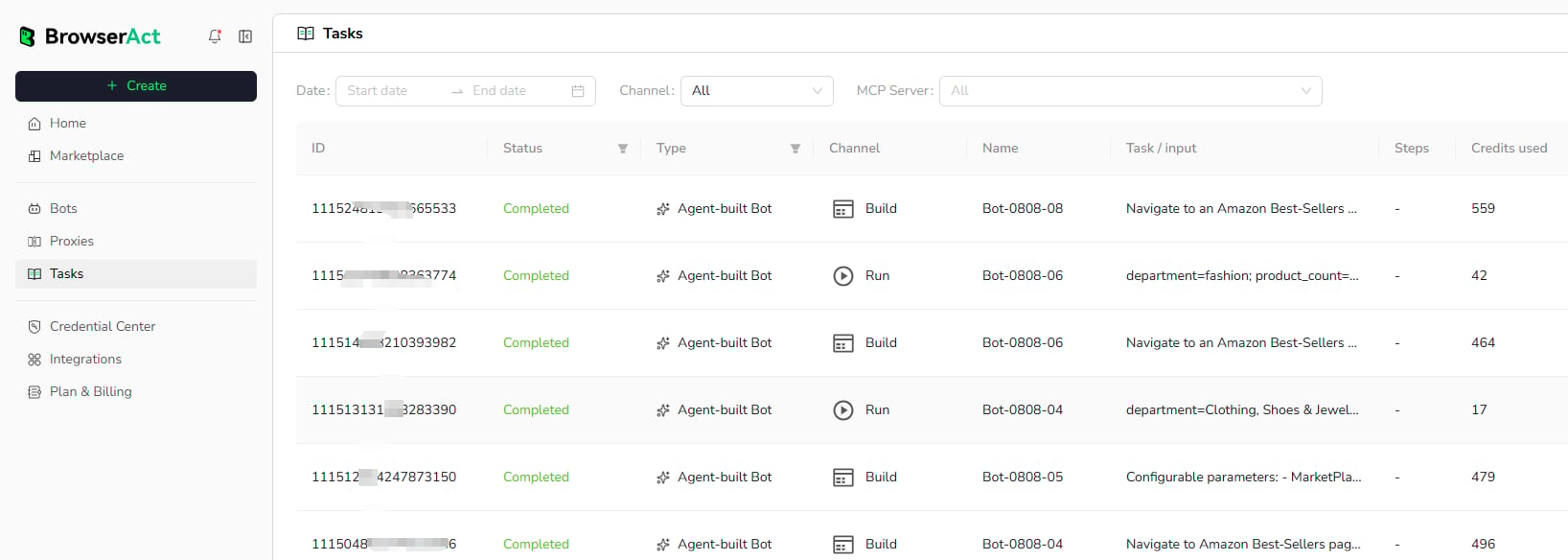
Filter Tasks
Use the available filters to narrow the task list:- Date range
- Channel
- MCP Server when applicable
- Type
- Search when available
Task Information
Each row can show:- Task ID
- Status
- Bot type
- Channel, such as
BuildorRun - Bot name
- Task request or input
- Steps when available
- Credits used