

1.BrowserAct Proxy
Key benefits- Built-in global residential proxy pool
- IP is automatically rotated on each run
- No credentials or manual configuration required
- You want to get started quickly without managing proxy infrastructure
- Your workflow needs IP rotation on each run by default
- You are accessing region-specific content (localized search results, country-based pricing, geo-restricted pages)
- You prefer residential IPs with minimal configuration
2. Custom Proxy
Best suited for- Users with existing third-party proxy providers
- A specific IP must stay bound to an account or session
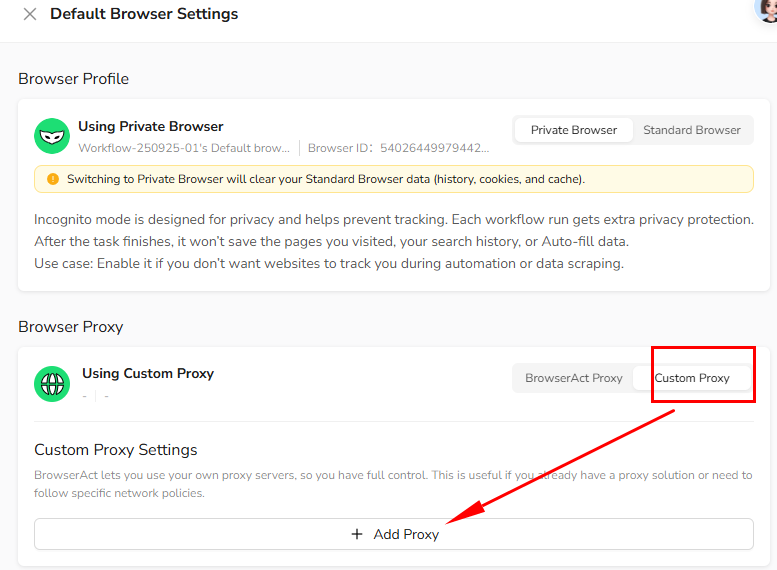
- Select
Custom Proxy - Click
+ Add Proxy
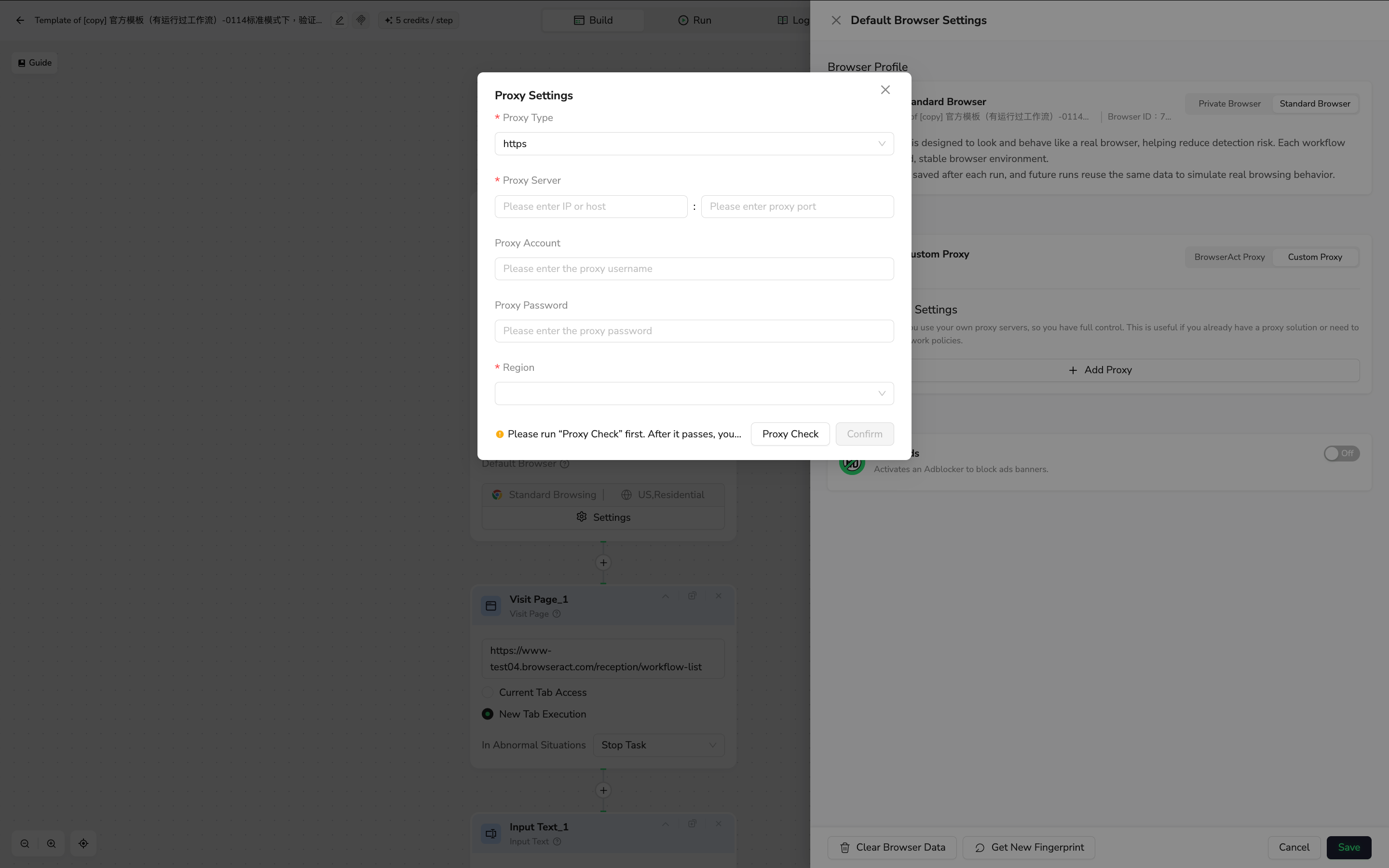
- Enter protocol (HTTP / SOCKS5), server address, port, and credentials
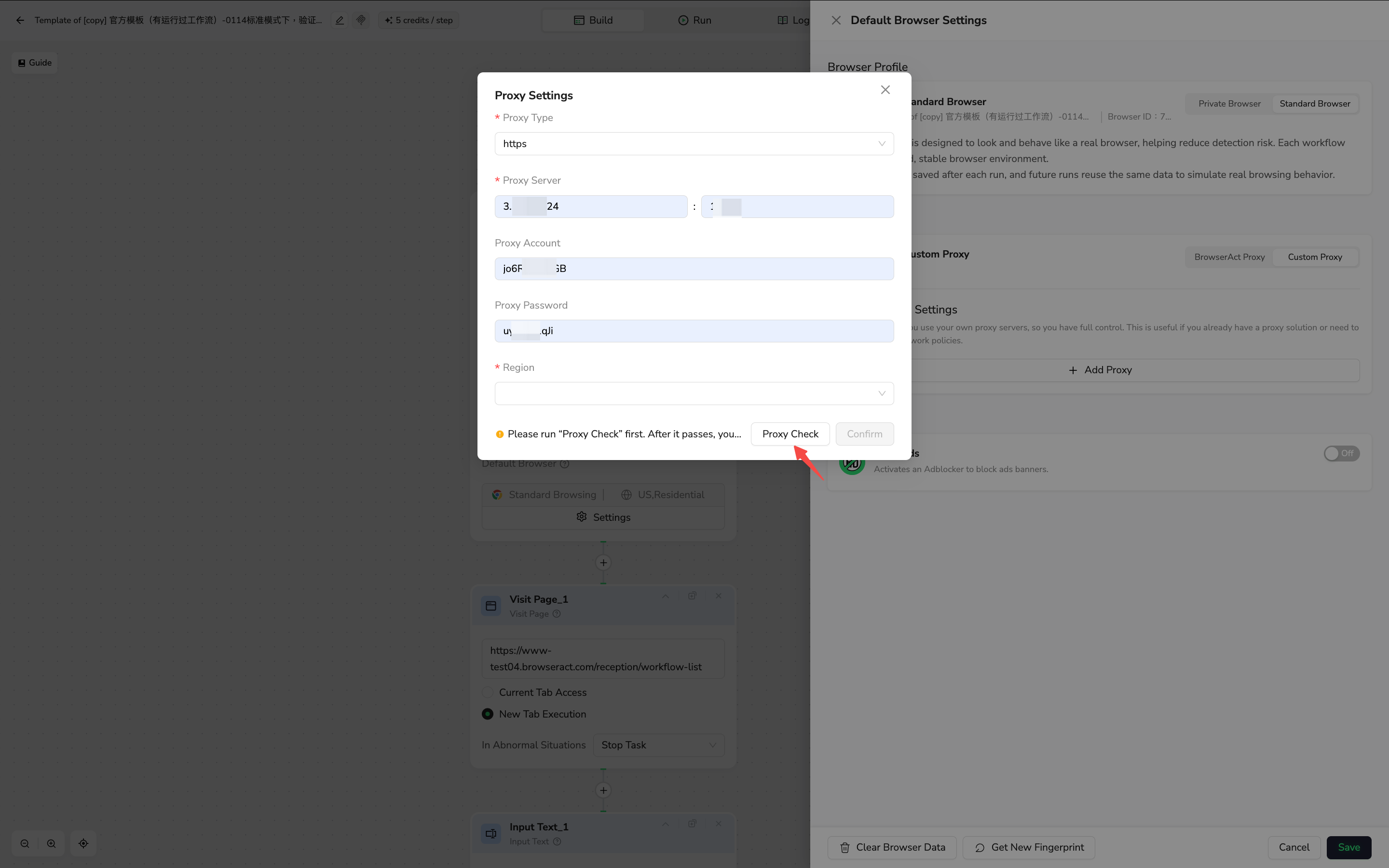
- Click
Proxy Checkto validate the proxy
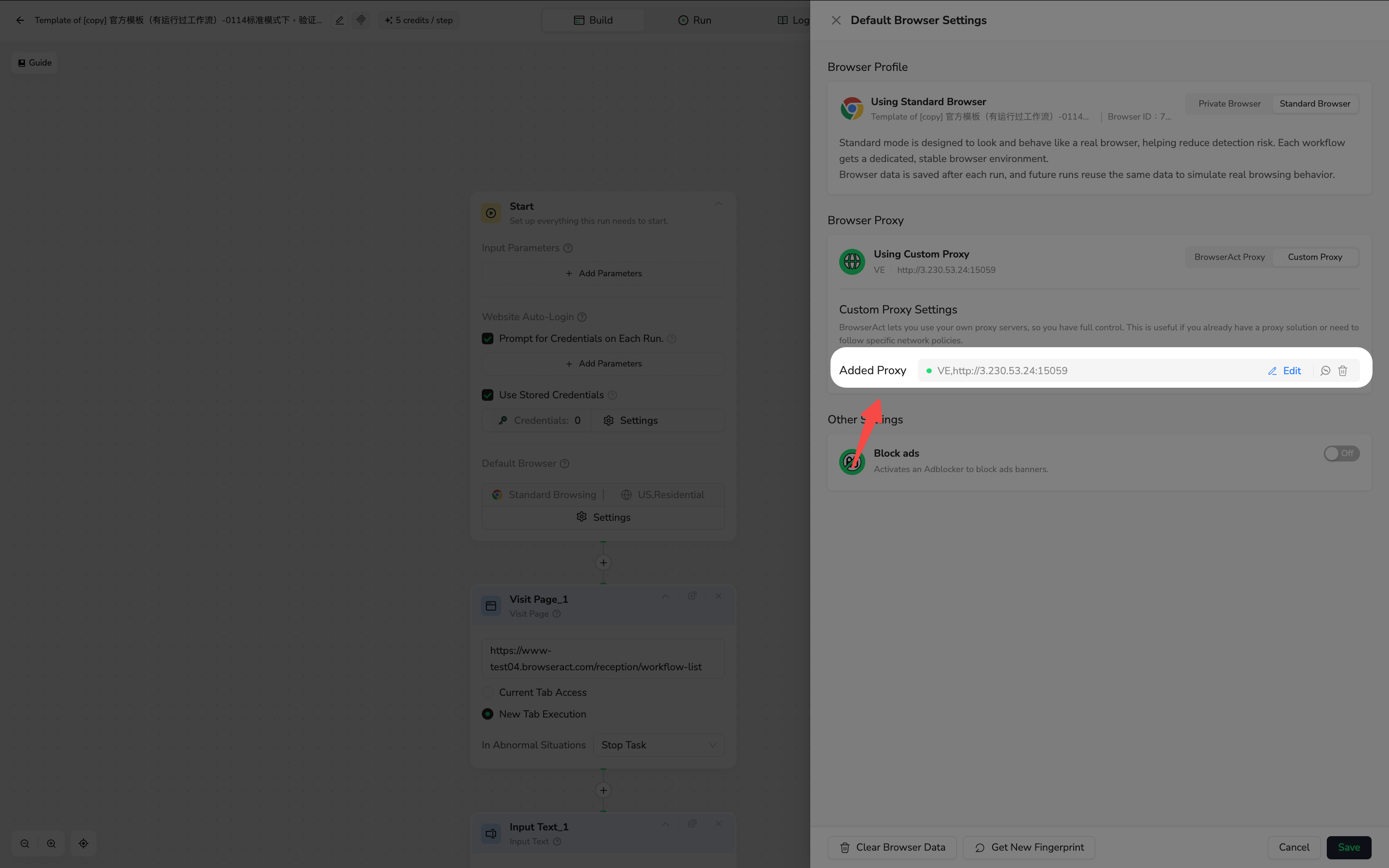
- Click confirm
- Ensures the proxy is reachable
- Displays the outbound IP and detected region
- Prevents invalid proxies from being used in execution