

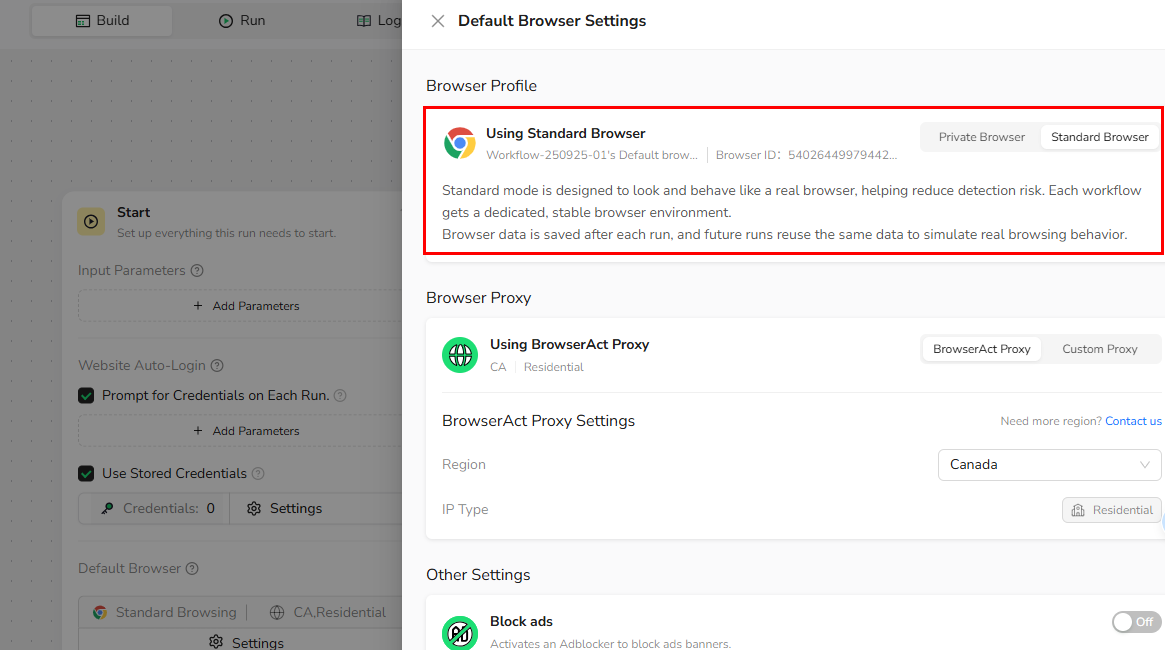
1.Standard Browser
- Positioning Designed to simulate long-term, stable real-user behavior.
- How it works
- Use Standard Browser when:
- Your workflow requires logging into an account and staying logged in (e.g. dashboards, admin panels, social platforms)
- The same workflow runs repeatedly over time (daily, weekly, or event-triggered automation)
- You want websites to see a consistent, returning user instead of a new visitor on every run
- Session stability matters more than anonymity (fewer re-logins, fewer verification prompts)
- High-frequency account switching
- Strong anonymity or one-off scraping tasks
2.Private Browser
- Positioning Designed for fully isolated, temporary browser environments.
- How it works
- You are scraping or browsing public pages without login (search results, product listings, content pages)
- Each run should be fully isolated from previous runs (no cookies, no session reuse)
- You want to avoid cross-session tracking or data accumulation
- You are testing multiple scenarios where persistence is unnecessary