> ## Documentation Index
> Fetch the complete documentation index at: https://docs.browseract.com/llms.txt
> Use this file to discover all available pages before exploring further.
# Custom Proxy
> Connect and validate a proxy from your own provider for a BrowserAct Bot.
Use Custom Proxy when you already have a proxy provider or need a network route managed outside BrowserAct.
## Video Tutorial
[](https://www.youtube.com/watch?v=ptAwhQ8aH08)
[Watch **Configure HTTP and SOCKS5 Custom Proxies** on YouTube](https://www.youtube.com/watch?v=ptAwhQ8aH08).
## Add a Custom Proxy
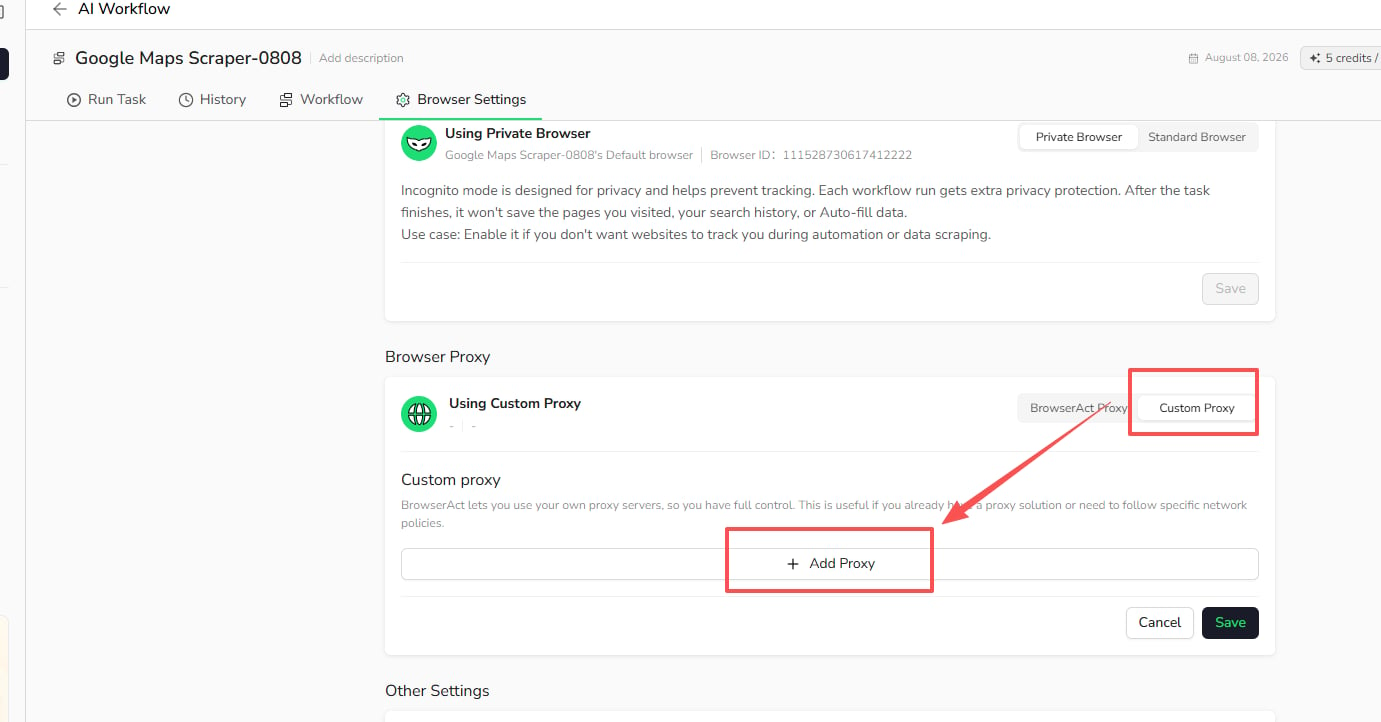
1. Open `Bots` and select the Bot.
2. Select `Browser settings`.
3. Under **Browser Proxy**, select `Custom Proxy`.
4. Select `Add Proxy`.
 5. Choose a supported protocol and enter the server address and port.
6. Enter the username and password when required by your proxy provider.
7. Select the proxy region.
8. Select `Check proxy` to validate the connection.
9. After the check succeeds, select `Save`.
5. Choose a supported protocol and enter the server address and port.
6. Enter the username and password when required by your proxy provider.
7. Select the proxy region.
8. Select `Check proxy` to validate the connection.
9. After the check succeeds, select `Save`.
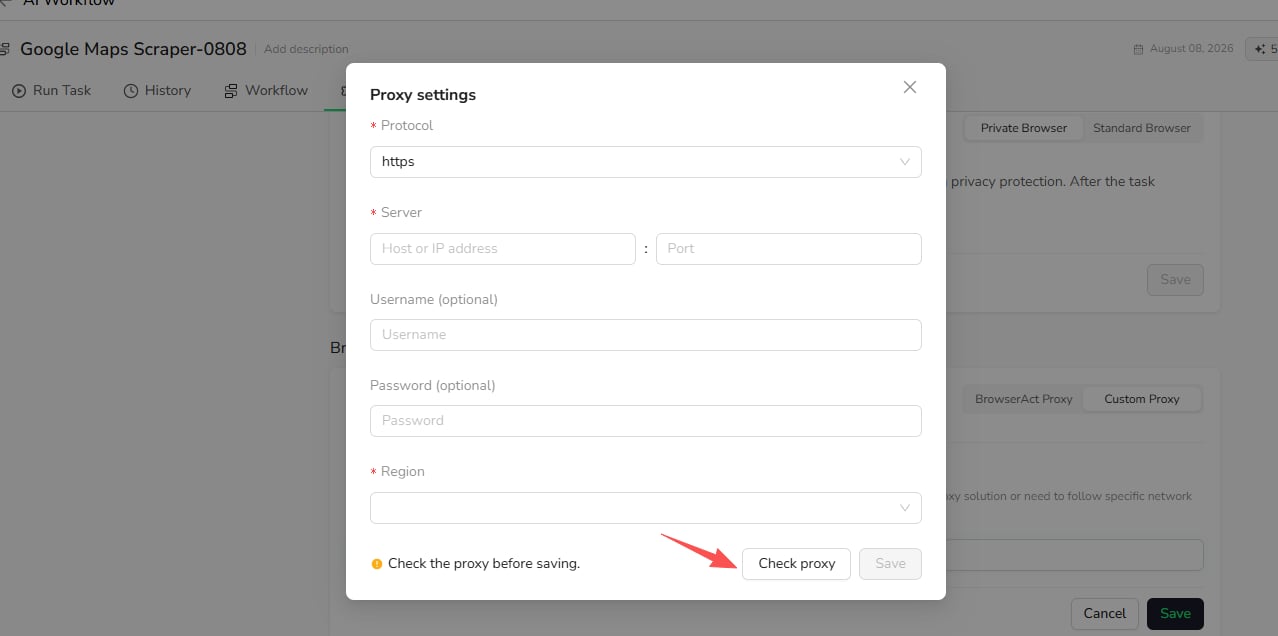 `Check proxy` verifies that the proxy is reachable before the Bot uses it.
## Manage Custom Proxies
After a Custom Proxy is added, you can select it for the Bot or edit and delete it from the Custom Proxy list.
BrowserAct does not manage the availability, location, rotation policy, or billing of proxies supplied by third-party providers.
`Check proxy` verifies that the proxy is reachable before the Bot uses it.
## Manage Custom Proxies
After a Custom Proxy is added, you can select it for the Bot or edit and delete it from the Custom Proxy list.
BrowserAct does not manage the availability, location, rotation policy, or billing of proxies supplied by third-party providers.