> ## Documentation Index
> Fetch the complete documentation index at: https://docs.browseract.com/llms.txt
> Use this file to discover all available pages before exploring further.
# Troubleshooting
> Diagnose and resolve common browser and proxy configuration issues.
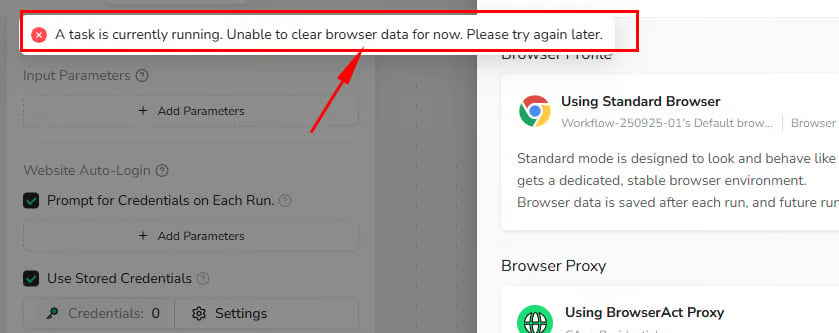
## "Clear Browser Data" Is Disabled
Browser data cannot be cleared while a Task is running.
Wait for the Task to finish, or stop it when appropriate. Then return to `Browser settings` and select `Clear browser data` again.
 ## Proxy Check Failed
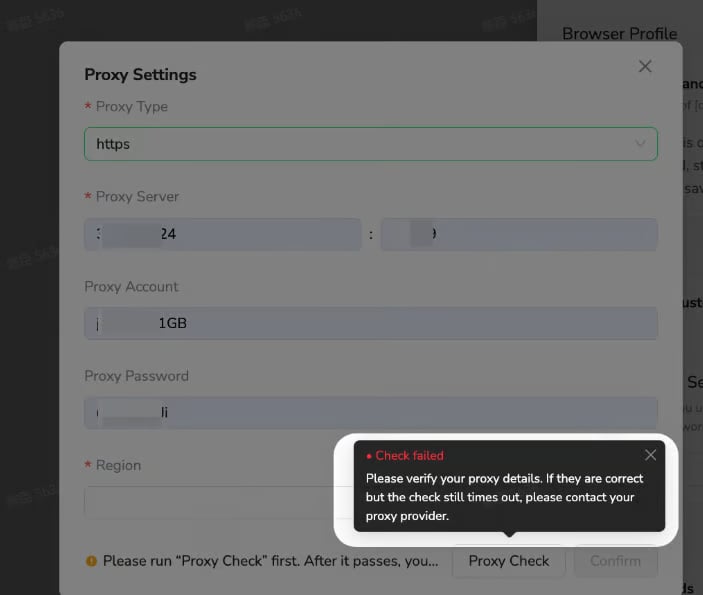
A Custom Proxy check can fail when:
* The server address or port is incorrect.
* The selected protocol does not match the proxy.
* The username or password is incorrect.
* The proxy endpoint is unavailable or has timed out.
Review the proxy details and run `Check proxy` again. If the information is correct but the check continues to time out, contact your proxy provider.
## Proxy Check Failed
A Custom Proxy check can fail when:
* The server address or port is incorrect.
* The selected protocol does not match the proxy.
* The username or password is incorrect.
* The proxy endpoint is unavailable or has timed out.
Review the proxy details and run `Check proxy` again. If the information is correct but the check continues to time out, contact your proxy provider.
 ## Detected Proxy Region Does Not Match the Selected Region
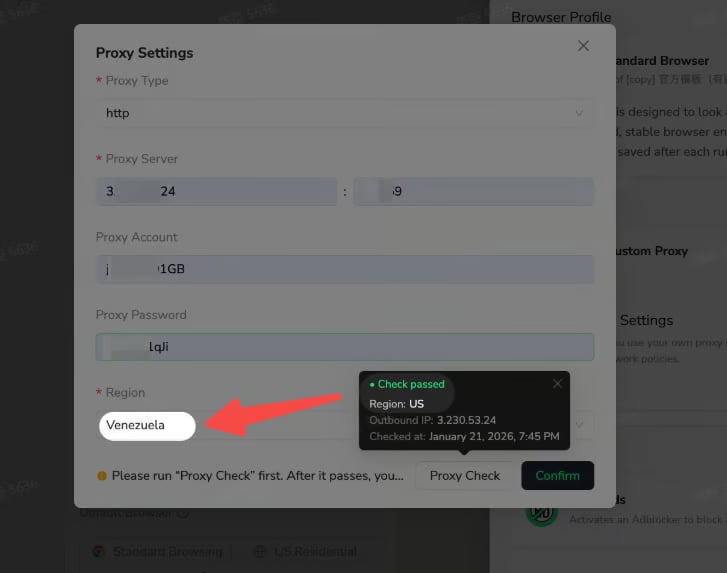
After a successful proxy check, BrowserAct displays the detected region and outbound IP address.
If the detected region differs from the region selected in `Proxy settings`, choose the region that matches the proxy's actual outbound location, then confirm and save the configuration.
## Detected Proxy Region Does Not Match the Selected Region
After a successful proxy check, BrowserAct displays the detected region and outbound IP address.
If the detected region differs from the region selected in `Proxy settings`, choose the region that matches the proxy's actual outbound location, then confirm and save the configuration.
 ## Frequent Login or Verification Prompts
This can happen when a login-based Bot uses `Private Browser` or its browser profile changes frequently.
* Switch to `Standard Browser` to retain browser state between runs.
* Use a BrowserAct Static Residential Proxy when the website expects a consistent IP.
* Avoid clearing browser data or refreshing the browser profile unless necessary.
## Frequent Login or Verification Prompts
This can happen when a login-based Bot uses `Private Browser` or its browser profile changes frequently.
* Switch to `Standard Browser` to retain browser state between runs.
* Use a BrowserAct Static Residential Proxy when the website expects a consistent IP.
* Avoid clearing browser data or refreshing the browser profile unless necessary.