> ## Documentation Index
> Fetch the complete documentation index at: https://docs.browseract.com/llms.txt
> Use this file to discover all available pages before exploring further.
# Performance & Browser Maintenance
> Improve page performance and manage the browser profile used by a Bot.
Open any Bot and select `Browser settings` to manage these options.
## Block Ads
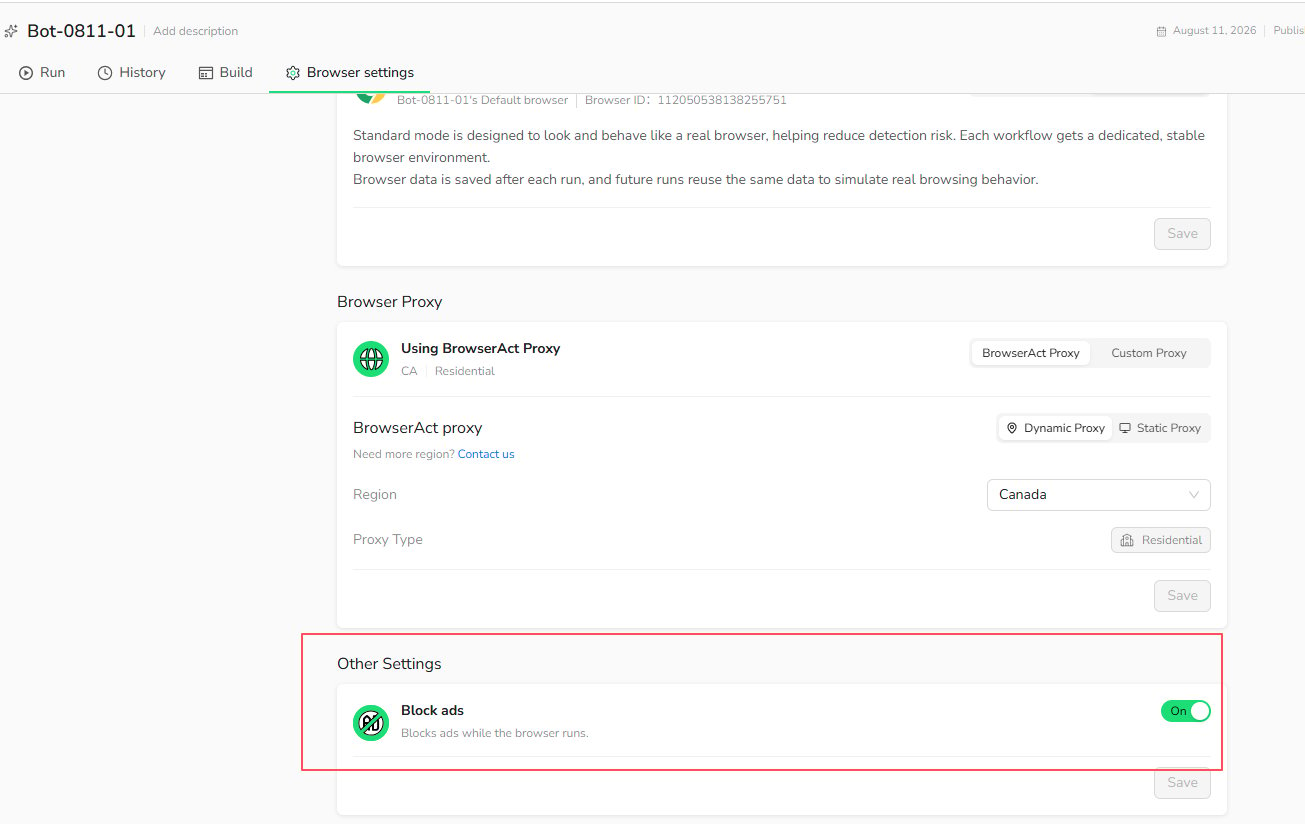
Enable `Block ads` to block ads while the browser runs. This can reduce distractions and improve page loading when advertisements are not required for the Bot.
1. Open `Browser settings`.
2. Scroll to `Other Settings`.
3. Turn on `Block ads`.
4. Select `Save`.
 Keep this option off when the Bot needs to interact with or inspect advertising content.
## Browser Maintenance
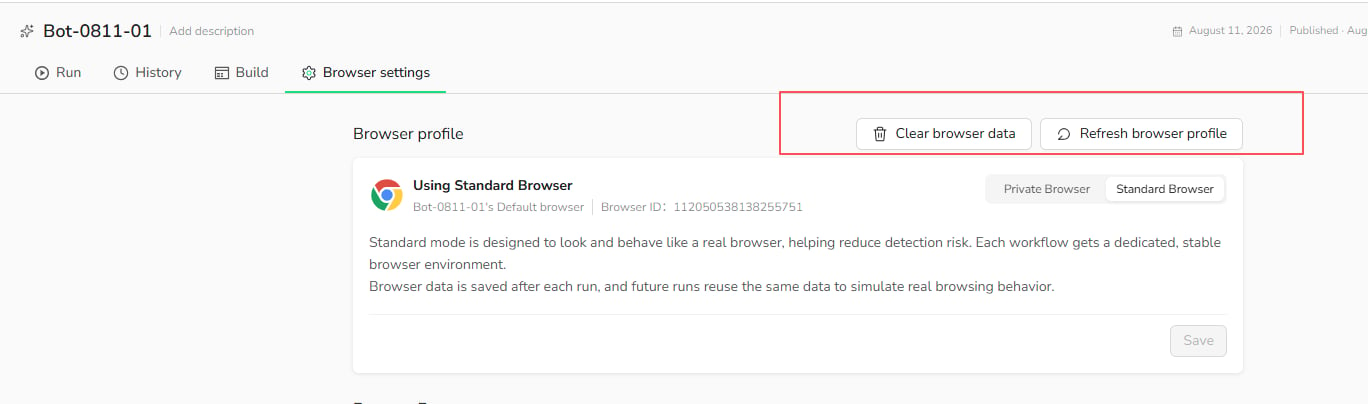
The following maintenance actions apply to a `Standard Browser`, which retains browser data between runs.
### Clear Browser Data
Select `Clear browser data` to remove the Standard Browser's saved cookies, cache, browsing history, and session data. The Browser ID and browser profile remain unchanged.
Use this action when a saved session is outdated, the website is loading stale data, or you want the Bot to start with a clean browser state.
Clearing browser data signs the Bot out of websites that relied on the stored session. This action is unavailable while a Task is running.
### Refresh Browser Profile
Select `Refresh browser profile` to replace the current browser profile. Websites may recognize the refreshed profile as a new browser or device.
Use this action when clearing browser data does not resolve a browser-profile issue. You may need to sign in again after refreshing the profile.
Keep this option off when the Bot needs to interact with or inspect advertising content.
## Browser Maintenance
The following maintenance actions apply to a `Standard Browser`, which retains browser data between runs.
### Clear Browser Data
Select `Clear browser data` to remove the Standard Browser's saved cookies, cache, browsing history, and session data. The Browser ID and browser profile remain unchanged.
Use this action when a saved session is outdated, the website is loading stale data, or you want the Bot to start with a clean browser state.
Clearing browser data signs the Bot out of websites that relied on the stored session. This action is unavailable while a Task is running.
### Refresh Browser Profile
Select `Refresh browser profile` to replace the current browser profile. Websites may recognize the refreshed profile as a new browser or device.
Use this action when clearing browser data does not resolve a browser-profile issue. You may need to sign in again after refreshing the profile.