> ## Documentation Index
> Fetch the complete documentation index at: https://docs.browseract.com/llms.txt
> Use this file to discover all available pages before exploring further.
# Account Settings
Account Settings currently supports changing your username and resetting your password. The email address linked to the account is displayed as read-only and cannot be changed.
## Open Account Settings
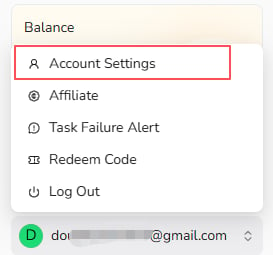
Open the account menu at the bottom of the BrowserAct dashboard and select `Account Settings`.
 ## Change Your Username
1. Update the `Username` field.
2. Select `Save Changes`.
## Reset Your Password
Select `Reset` beside the Password field and follow the password reset instructions.
## Change Your Username
1. Update the `Username` field.
2. Select `Save Changes`.
## Reset Your Password
Select `Reset` beside the Password field and follow the password reset instructions.
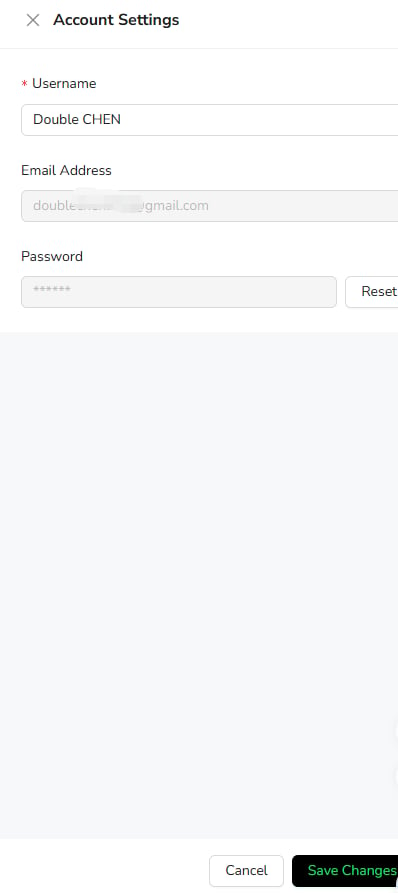 Your account email cannot currently be changed from Account Settings.